Meta App Review Rejected? The Complete 2026 Fix-It Guide (and How to Skip Review Entirely)
Meta app review rejected? Here are the exact rejection reasons, how to fix each one, and how to publish to Facebook & Instagram without app review at all.
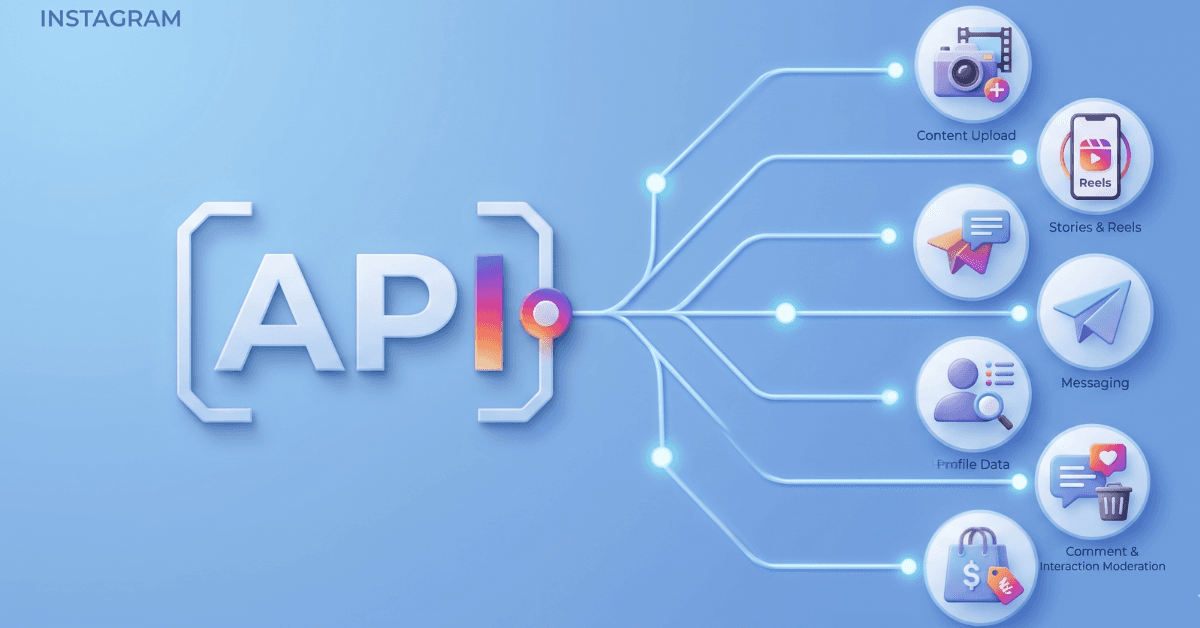
If your Meta app review rejected notice came back with a vague, boilerplate note that doesn't tell you what actually went wrong, you're not doing anything unusual. Most Facebook and Instagram apps get rejected at least once, often for reasons that have nothing to do with your code. Same story whether it landed as a straight Facebook app review rejected notice or an Instagram API app review rejected one instead, both run through the same App Review pipeline. And in 2026 the stakes got higher: Meta's review timeline roughly doubled from 10 days to 20, so every rejection cycle now costs weeks, not days.
This guide covers every common meta app review rejection reason, the exact fix for each, how to resubmit without breaking permissions you already have approved, and, if you'd rather never deal with App Review again, how to publish to Facebook and Instagram through an already-reviewed API instead.
A solo developer testing a side project has different stakes than an agency managing App Review for a dozen client apps at once, each with its own permission set and its own review clock. Note that both paths are covered here: diagnose your specific rejection and fix it with confidence, or skip the process entirely and publish through a unified social media API that has already cleared review. Which path makes sense depends less on how technical your team is and more on whether App Review itself, the queue, the screencast requirements, the 20-day wait, are actually worth running for what you're building.
First, Understand What Meta App Review Actually Checks
This is what trips people up even before we get into the list of rejections reasons: the reviewers don't explore your app in detail like a user does. The reviewer can't just click on things, try edge cases, or make assumptions as to what a feature might do. They rely on three things: Your screencast is their most tangible evidence, justification in the use-case text second and your privacy policy third. Failure of any one of those three to clearly support why you are asking for permission typically leads to a rejection that appears unrelated to actual problems with your application itself.
Standard vs. Advanced Access is the distinction that confuses most first-time submitters. Standard Access works fine for testing, your app, your test users, no review needed. But publishing for real client accounts or general users requires Advanced Access, and Advanced Access is what triggers App Review for permissions like pages_manage_posts (a pages_manage_posts app review rejected is the most common outcome here), pages_read_engagement, pages_show_list, and instagram_business_content_publish, an instagram_business_content_publish_rejected result being the common trigger for Instagram-side apps. Check Meta's Permissions Reference for the full list of what requires review and what does not.
Business apps have Standard Access auto-approved for testing, so the barrier isn't usually in creating the app; it's getting from there to Advanced Access. That's why the meta advanced access rejected notice so often appears here, and it's when the nine reasons below become relevant. This is something many experienced developers fail to consider, thinking the process will be a continuation of the simple Standard Access flow, only to find their "advanced access rejected" notice from Meta. The fact that Meta inspects your app to ensure it performs as advertised in advanced access is a much higher hurdle to clear.
Regarding timing: 2026 means roughly 20 days to go through a normal review - longer if Meta needs clarification. Every rejection essentially restarts the clock for everyone. It's typically the rejection that catches most teams off guard, a rejection costs you the price of the fix + another review. If your meta app review takes too long and you're wondering why it's different than 1 or 2 years ago, that's why - the review baseline window got longer and they didn't suggest it will get back to the old window.
Meta App Review Rejected? The 9 Most Common Reasons (and How to Fix Each)
This is what gets your app approved. The vast majority of all of the reasons developers get rejected in meta review fall into one of the nine listed below, each of which gets a brief explanation and the appropriate solution. Don't skip to what you think is applicable to your submission. Whether you are starting at a facebook app review notice or the Instagram equivalent, the underlying causes are similar. Apps can be flagged on multiple issues at once, so don't just fix the first one you see or you'll simply get a second rejection down the line. For Meta's own framing of these patterns, see their Common Rejection Guidelines.
1. Requesting Permissions You Don't Demonstrate
This is the single most common cause of a pages_manage_posts app review rejected notice, and it's almost always self-inflicted. Developers request permissions "just in case," or for a feature that's planned but not built yet. Asking for some sort of analytics permission and yet there is absolutely no analytics displayed on the screencast will immediately trigger this in a reviewers mind.
The fix: ask for only what your app needs right now. The other permissions can be added later on, and this will mean a re-review cycle but a lean submission is more likely to pass first time round than one claiming for all permissions. Be precise with matching permission requests to the demonstrated feature, every request is tied to one feature and no more. If you're not sure whether a permission qualifies, a good rule of thumb: if the reviewer can't watch it happen in your screencast, don't request it yet.
2. Screencast Doesn't Show the End-to-End Experience
A lot of meta app review screencast rejected notices cite Meta Policy 1.6, the screencast "fails to demonstrate the end-to-end experience." What actually happened: the developer jumped straight to the permission in use without showing the login, the consent screen, or how the user actually got there.
The fix: Record the entire workflow at each step. Record the App login, the OAuth screen with the permission in question clear on it, and then the part of the app that actually uses that permission. Record at a slower pace. Use in-app text to let reviewers know exactly which permission is in use at any given moment, since Meta's own screen recording guidelines are clear that the reviewer shouldn't have to guess.
3. One Video Showing Multiple Permissions
You need one video for each permission, full stop. One video which displays multiple permissions for different use-cases would also fail, even if every individual clip inside it is technically correct.
The solution: Create a single recorded segment per permission — there should be no exceptions. Attach to each segment its own individual, written description. Ensure the form and the proof align with each other on each permission. It's actually tempting to save time by trying to shortcut but the Meta reviewers go through each permission individually and a paired video makes it harder for them to effectively verify either one cleanly.
4. Screencast Uses a Personal Profile or Business Manager Preview
Reviewers can not check a permission grant flow when you show it through a personal profile, nor a Business Manager preview, but a true test flow. It appears as a shortcut, and Meta reviewers are looking for them.
The fix: set up a real test user that actually has a Page Admin role and demo the real grant flow with it. Submit a test user name/password with your application, and allow the reviewer to actually log in themselves and confirm that the grant flow worked as you said in your description. This probably feels like a few extra minutes to set up at the beginning, but it is hands down the least expensive way to prevent a rejection out of the items on this list. It only takes about ten minutes in the App Dashboard to create a real test user but will avoid all doubts that it worked.
5. Use-Case Justification Too Generic
"Our app helps social media managers" is not a good use-case justification. It is a category description at best and is one of the fastest routes to a facebook app review use case rejected notice. Meta wants the workflow, the exact data being worked with, the benefit to the end user on a per-permission basis, not per app.
The fix: For each permission, specify the user of the permission, the specific workflow step at which that permission is utilized, what data is accessed in that specific step, and why the permission is the minimal needed permission to access said data for that workflow step. Generic language reads as risk, specificity reads as compliance. Two sentences per permission is usually enough if they're the right two sentences.
6. App Is Behind a Login Wall, Staging Password, or Non-Public URL
The entire app submission gets rejected if Meta doesn't succeed in actually reaching and using your app, even if it's a solid app. This is one of the most avoidable rejections on this list, and one of the most common.
Include test credentials in the initial submission. Remember to remove any staging password you have in front of the review URL before submitting — this is one of the blockers listed in Meta's own submission guide. It's actually easy to forget if your team is used to keeping staging environments locked down by default, but for the review window specifically, that default works against you.
7. Privacy Policy Doesn't Reference Meta API Data
A generic, copy-and-paste privacy policy will do nothing for passing a review, and this is what causes an app review privacy policy rejected notice for Meta. Any policy will need to list out the APIs for Meta that your app uses and detail the specific data points that you collect with any permissions you have required (e.g. Read your profile information, read your friend list, access your photos and videos, post your photos and videos). In addition, even a slow-loading policy page, on its own, could get an app review privacy policy rejected.
The fix: make sure to update the privacy policy to clearly list what Meta permissions and data you pull from it, page content, engagement data, user content, whatever is relevant, and how you use it. Ensure the page loads quickly and is accessible to everyone, without a login wall of its own. A privacy policy buried three clicks deep behind a marketing site, or one that times out under review load, causes rejections that have nothing to do with the actual policy language.
8. Business Verification Not Completed Before Advanced Access
For some permission sets, you need to complete Business Verification first before submitting for Advanced Access. Your submission to gain Advanced Access before that step is complete will be automatically rejected regardless of how complete your other fields are.
The fix: complete Business Verification first, legal business name, address, supporting documentation, before you submit for Advanced Access on any permission that requires it. This particular process might be worth inquiring about early because the business verification can be lengthy (and it may delay your submission an extra set of days apart from your app reviewer's timeline.
9. Scope Creep, the App Appears to Collect More Than It Needs
If your app looks like it stores or accesses more data than the stated use case actually requires, even an instagram api app review rejected notice for instagram_business_content_publish rejected as a result sometimes traces back here, Meta reads that mismatch as a compliance risk rather than a technical detail.
The fix: Collect only what the use case actually requires; there should be absolutely no excess. Make sure the app's visible behavior in the screencast matches the stated, permitted use, with nothing extra happening on screen that isn't explained.
How to Resubmit Without Breaking Approved Permissions
A meta app review resubmit after rejection only works if you fit what was actually stated. Only re-record permissions that came back denied. Don't touch or re-submit scopes that are already approved, because trying to modify an accepted permission often pushes that original permission into review again. Be as accurate as possible to have the video you re-submit and the words you justify the permission with match, and discrepancy between what is in the actual clip versus what the explanation says that it's depicting is considered a legitimate rejection reason on its own.
When working in a team, it is often better to have someone assigned to managing the resubmission on your side, from start to finish-to the point where they are the only one actually reshooting their work. This cuts down on inconsistent framing or pacing that can occur when it's re-recorded by different individuals.
Set expectations going in: a strong, specific submission removes the avoidable rejections, the ones covered above, but the final decision always rests with Meta's reviewers. A meta app review resubmit after rejection is not guaranteed just because you fixed the cited issue, though fixing it correctly is what gives you the best odds. Track your resubmission and expect roughly 20 days again in 2026, the clock restarts with every cycle. If you're managing several rejected apps at once, it's worth keeping a simple log of what was cited, what you changed, and the date you resubmitted, since Meta's own status panel doesn't always make that history easy to reconstruct later.
Meta App Review Rejected Again? Skip It Entirely
Here's the reframe worth sitting with, and it's the same one that leads a lot of teams to skip meta app review entirely after even one rejection. In 2026, with each review cycle running around 20 days and multiple cycles common, a five-permission app can realistically spend six to eight weeks in review before it's fully cleared. At that point the real question isn't "how do I pass," it's "do I need to run this gauntlet at all."
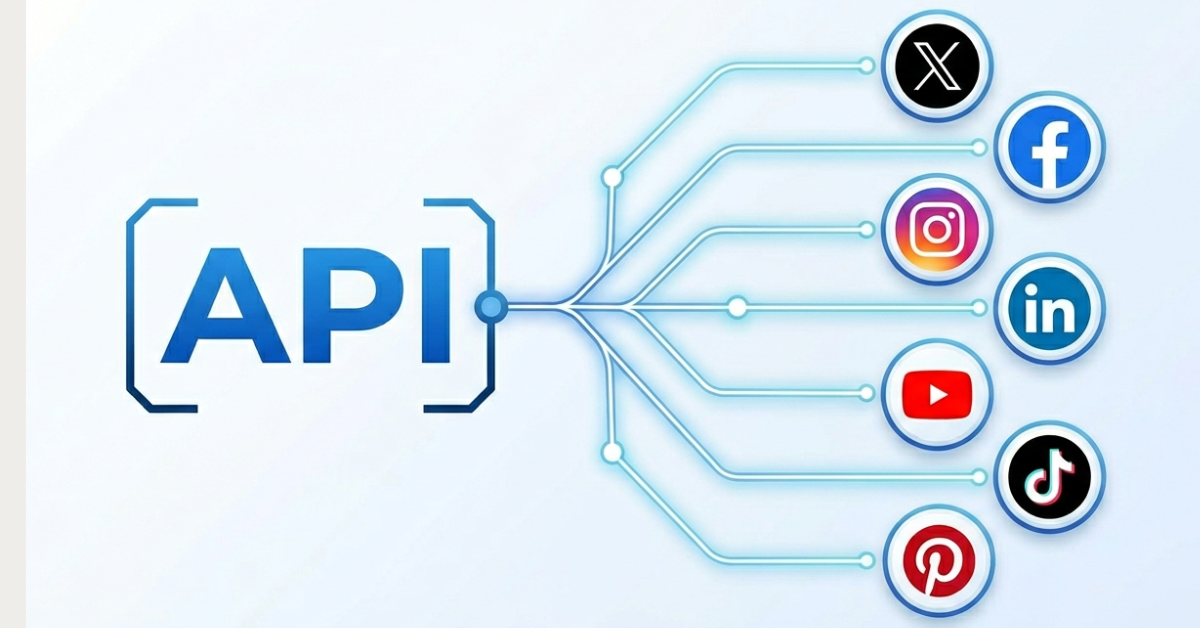
A unified social media API like WoopSocial has already passed Meta's App Review. When you publish through WoopSocial, you're using its reviewed, maintained integration, your users connect their Facebook Pages and Instagram Business accounts, and WoopSocial handles the Page token resolution, refresh, and publishing on the backend. You never register a Meta developer app. You never wait in a review queue.
What that actually gets you: one endpoint, or one dashboard, to publish and schedule posts, images, video, Reels, and Stories to Facebook and Instagram, plus X, LinkedIn, TikTok, YouTube, Threads, Bluesky and Pinterest from the same place. Readable failure reasons instead of raw Graph API error codes when something does go wrong. And Meta's ongoing API changes become WoopSocial's maintenance problem, not a line item on your team's sprint. For the deeper permission and token detail behind what WoopSocial abstracts away, our Facebook API alternative guide, Instagram API alternative guide, and social media API hub tell everything in full.
| Direct Meta App Review | WoopSocial | |
|---|---|---|
| Time to publish access | ~20 days per cycle, longer with rejections | Connect an account today, no queue |
| Platforms this covers | Facebook and Instagram only, for this one app | Facebook, Instagram, Threads, Bluesky, X, LinkedIn, TikTok, YouTube, Pinterest |
| Screencast and use-case submission | Required, per permission, every cycle | Not required |
| Ongoing Graph API maintenance | Your team tracks it | WoopSocial's team tracks it |
| Business Manager verification, Ads API, Meta Verified | Not affected either way | Not affected either way, out of scope for both |
That last row matters more than it might look. Switching to a unified API doesn't touch anything on the advertising or verification side of your Meta account, it only replaces the publishing layer, which is exactly why the honesty guardrail below is worth reading closely before you decide.
The honesty guardrail, stated plainly: this solves rejections tied to organic Facebook Page and Instagram Business publishing access. It does not resolve Business Manager verification, ad account restrictions, Meta Verified or the blue badge, or Ads API access. If your rejection is actually about advertising or account verification rather than publishing, a publishing API is not the fix, go back to the fix-it steps above instead.
Who should skip versus who should push through: skip if publishing is your actual goal and you don't need Graph-API-specific depth, comment moderation, deep insights, live video. Push through the review process if you need capabilities a unified API doesn't expose. If you're managing this across multiple client accounts, meta app review for agencies specifically gets harder with every additional client app in the queue, since each one runs its own review clock, and that's exactly the scenario where skipping the meta app review starts to make financial sense on its own. An agency running reviews for even five client apps in parallel is effectively managing five independent 20-day clocks, five separate screencast requirements, and five separate rejection risks, and that overhead compounds in a way a single in-house app never has to deal with.
WoopSocial lets you post to Instagram without App Review, and the same path covers Facebook, with no Meta developer app, no screencast, and no 20-day queue. You can try it free or check the API docs directly.
Meta App Review Rejection: Quick Diagnostic Checklist
Run your rejected submission against this list before you resubmit – whether it's a straight meta advanced access rejected notice or one tied to a specific permission. It maps directly to the nine reasons above, in the same order, so if you already know which reason applies to your rejection, you can jump straight to the matching line rather than working through the whole list from the top.
- Did you request only permissions you actually demonstrate in the screencast?
- Does the screencast show login, then consent, then the permission actually in use?
- Is there one separate video clip per permission, not one video covering several?
- Does the test user have a real Page admin role, not a personal profile or Business Manager preview?
- Is the use-case justification specific per permission, not a general app description? (This is the single fastest route to a facebook app review use case rejected notice.)
- Is the app publicly accessible, with test credentials provided and no staging password blocking it?
- Does the privacy policy explicitly name the Meta APIs and data types collected?
- Is Business Verification complete, if the permission set requires it?
- Does the app's visible behavior match the stated use case, with no scope creep?
Conclusion
A meta app review rejected notice is almost always fixable. It usually comes down to the screencast, the permission-to-feature match, the use-case justification, or the privacy policy, the four places this guide spent the most time. Fix the specific reason Meta cited, re-record only what's needed, and resubmit with confidence.
But in 2026, with 20-day review cycles as the baseline, many teams reach a point where the smarter move isn't to keep running the gauntlet, it's to publish through an already-reviewed API instead. That's not a concession, it's a scoping decision, the same kind of build-versus-buy call a team would make about any other piece of infrastructure that isn't core to what they're actually shipping. WoopSocial lets you post to Facebook and Instagram without app review across nine platforms through a reviewed, maintained integration, no App Review required. Try it free. For the deeper Graph API detail behind these permissions, our Facebook API and Instagram API guides cover the rest, so that whichever meta app review rejected notice brought you here today, you leave with either a fix or a way around it.
Sources & References
- App Review Documentation
OFFICIAL
- App Review Submission Guide
OFFICIAL
- Screen Recording Guidelines
OFFICIAL
- Common Rejection Guidelines
OFFICIAL
- Permissions Reference
OFFICIAL
- Business Verification
OFFICIAL
- Introducing Graph API v25.0 and Marketing API v25.0
OFFICIAL
- Instagram Platform Overview
OFFICIAL
- WoopSocial API Documentation
OFFICIAL
Related reads
6/12/2026
Best Facebook API Alternatives for Developers in 2026 for direct access
The Facebook Graph API review can take weeks. Compare the best Facebook alternatives for posting, scheduling and more.
6/9/2026
Instagram API Alternative for Developers: get instant access in 2026
See what alternatives for the Instagram API are best when you want to schedule, get analytics or publish, so you can set it up without the complexity
5/2/2026
The 18 Best Social Media APIs (REST) for Developers in 2026
Social media APIs are part of the core infrastructure for modern apps. Whether you're using it as regular scheduling tools or integrating it with your AI agent, you need the right social media API to post to all your required platforms.