Bluesky
Bluesky Posting API: Publish & Schedule Bluesky Posts
You can add Bluesky to the same integration as X, Threads and LinkedIn - one API key, scheduling included, and no AT Protocol sessions for you to manage.
Free plan · 2 accounts · No credit card · API + MCP included
- Text posts
- Image posts
- Multi-image posts
- Video posts
- Scheduled posts
- Drafts
Last updated 29 October 2026. The BlueSky 300-character limit, the 4-image cap & the 3-minute video limit below are stated as of that date.
Reviewed by Attila Kun, Technical Co-founder. Last updated 29 October 2026.
What is the Bluesky Posting API?
The Bluesky Posting API is Bluesky's own open AT Protocol. Of all social media APIs, this is the most open one. There is no app review and also no paid tier. Authentication uses app password. However, publishing directly has no native scheduling, so you need to build your own queue and handle session tokens.
WoopSocial helps you use the Bluesky API without maintaining another integration for it. It helps with scheduling and drafts, sessions management and image uploads. You can post to BlueSky, X and Threads with one key - plus it's free for up to 2 accounts.
WoopSocial vs the Bluesky API (AT Protocol)
| AT Protocol direct |  WoopSocial |
|---|---|
| App passwords and session tokens to store and refresh | Connect through WoopSocial’s authorization flow, with sessions handled |
| Upload images as blobs, then reference them in the post record | Upload once, and WoopSocial handles the blob flow |
| No scheduling, so you build a queue and a worker | SCHEDULE_FOR_LATER and drafts |
| One more integration to maintain | The same key as 8 other platforms |
Three steps to automated Bluesky posting
Step 1
Connect your account
Send yourself, or your own users, a hosted connect link and they approve access in a few clicks. Bluesky accounts connect through the same authorization flow as every other platform, and WoopSocial manages the sessions for you.
Step 2
Create the post
Send one request that targets Bluesky, X and Threads together. Each platform gets its own text through contentOverride, which helps because Bluesky allows 300 characters and X allows 280. Use SCHEDULE_FOR_LATER with a UTC timestamp to queue it/save a draft.
Step 3
We handle the rest
WoopSocial uploads your images or video, then publishes at the scheduled time. Temporary failures retry automatically, and webhooks tell your app when a post goes out or fails.
Everything you need to ship Bluesky features
The short-form trio
For Bluesky, X and Threads, you can write one message, then adapt it for each platform with contentOverride.
Scheduling & drafts
The AT Protocol has no native scheduling. WoopSocial adds it. You can schedule a designated time in UTC or save a draft for later.
Images and video handled
Add up to 4 images with alt text, or a video. WoopSocial resizes your media and runs the upload.
Delivery webhooks & retries
Know when a post is published or has failed. Temporary problems are retried automatically.
Three ways in
REST, MCP, n8n/Zapier/Make.
1 · Account
Create a free WoopSocial account
Sign up at app.woopsocial.com/signup (no credit card). You'll authorize through OAuth when the agent connects — no API key required for MCP.
2 · Bluesky
Connect your account
Link a Bluesky account in the WoopSocial dashboard before you ask an agent to post. WoopSocial manages the session. No app password handling of your own.
3 · Agent
Add the MCP URL and authorize
Use
https://api.woopsocial.com/mcp. Your client opens OAuth — approve access and you're connected. Docs: Integrating MCP clients.
Install by client
Pick your agent. Cards marked On this site open another WoopSocial page; External opens outside this site (new tab).
Social Media MCP
On this siteStep-by-step install for Claude, ChatGPT and any MCP client, with screenshots.
Open page →
Claude
External1-click: add the WoopSocial connector from Claude's directory and authorize with OAuth.
Open external link →
ChatGPT
On this siteEnable Developer Mode, add the MCP URL, authorize with OAuth, then test in chat.
Open page →
Cursor
External1-click: install the WoopSocial plugin from Cursor Directory, then schedule Bluesky posts from the agent.
Open external link →
Hermes
On this siteLet your Hermes agent write and schedule Bluesky posts for you.
Open page →
Muse
On this siteLet Muse write your short-form posts and publish them to Bluesky.
Open page →
Grok
On this siteLet Grok write short-form posts and publish them to Bluesky.
Open page →
MCP scheduling guide
On this siteCopy-paste prompts and setup for Claude, ChatGPT and Cursor.
Open page →
Config for Cursor / other MCP clients
Prefer 1-click? Install the WoopSocial Cursor plugin. Or paste this into .cursor/mcp.json (or your client's MCP config). Authorize with OAuth when prompted — no API key in the URL. Allowlist *.cloudflarestorage.com if media uploads are blocked.
{
  "mcpServers": {
    "woopsocial": {
      "url": "https://api.woopsocial.com/mcp"
    }
  }
}
Claude Code
One command registers the remote HTTP MCP server. Complete OAuth when prompted.
claude mcp add --transport http woopsocial "https://api.woopsocial.com/mcp"After install — try this
Plain-language Bluesky prompt
You
Post this to Bluesky and Threads now, and schedule the X version for 9am
Prefer a full walkthrough with screenshots? Start at /social-media-mcp.
One POST /posts call for text, images or video. Same shape as every other platform.
curl -X POST https://api.woopsocial.com/v1/posts \
  -H "Authorization: Bearer YOUR_API_KEY" \
  -H "Content-Type: application/json" \
  -d '{
    "content": [{
      "text": "Shipping this week."
    }],
    "schedule": {
      "type": "SCHEDULE_FOR_LATER",
      "scheduledFor": "2026-07-03T17:00:00Z"
    },
    "socialAccounts": [{
      "platform": "BLUESKY",
      "socialAccountId": "YOUR_BLUESKY_ACCOUNT_ID"
    }]
  }'
All three open external partner sites in a new tab.
REST API example: schedule a post to Bluesky
Same POST /posts call with a Bearer API key. Authorization header and request body included.
curl -X POST https://api.woopsocial.com/v1/posts \
  -H "Authorization: Bearer YOUR_API_KEY" \
  -H "Content-Type: application/json" \
  -d '{
    "content": [{
      "text": "Shipping this week."
    }],
    "schedule": {
      "type": "SCHEDULE_FOR_LATER",
      "scheduledFor": "2026-07-03T17:00:00Z"
    },
    "socialAccounts": [{
      "platform": "BLUESKY",
      "socialAccountId": "YOUR_BLUESKY_ACCOUNT_ID"
    }]
  }'
Prefer a calendar? Schedule Bluesky posts from the dashboard
Want a Bluesky scheduler you don't have to code? The WoopSocial dashboard has a calendar where you can schedule Bluesky posts by choosing the date and time for each - something the AT Protocol doesn't do natively. With WoopSocial, you can connect more than one account and manage them side by side, which suits agencies and anyone running several brands. AI captions and cross-posting are available features. The dashboard runs on the same backend as the API, so a post your team schedules in the calendar behaves exactly like one your code creates. The free plan includes 2 accounts and needs no credit card.
Schedule from the dashboard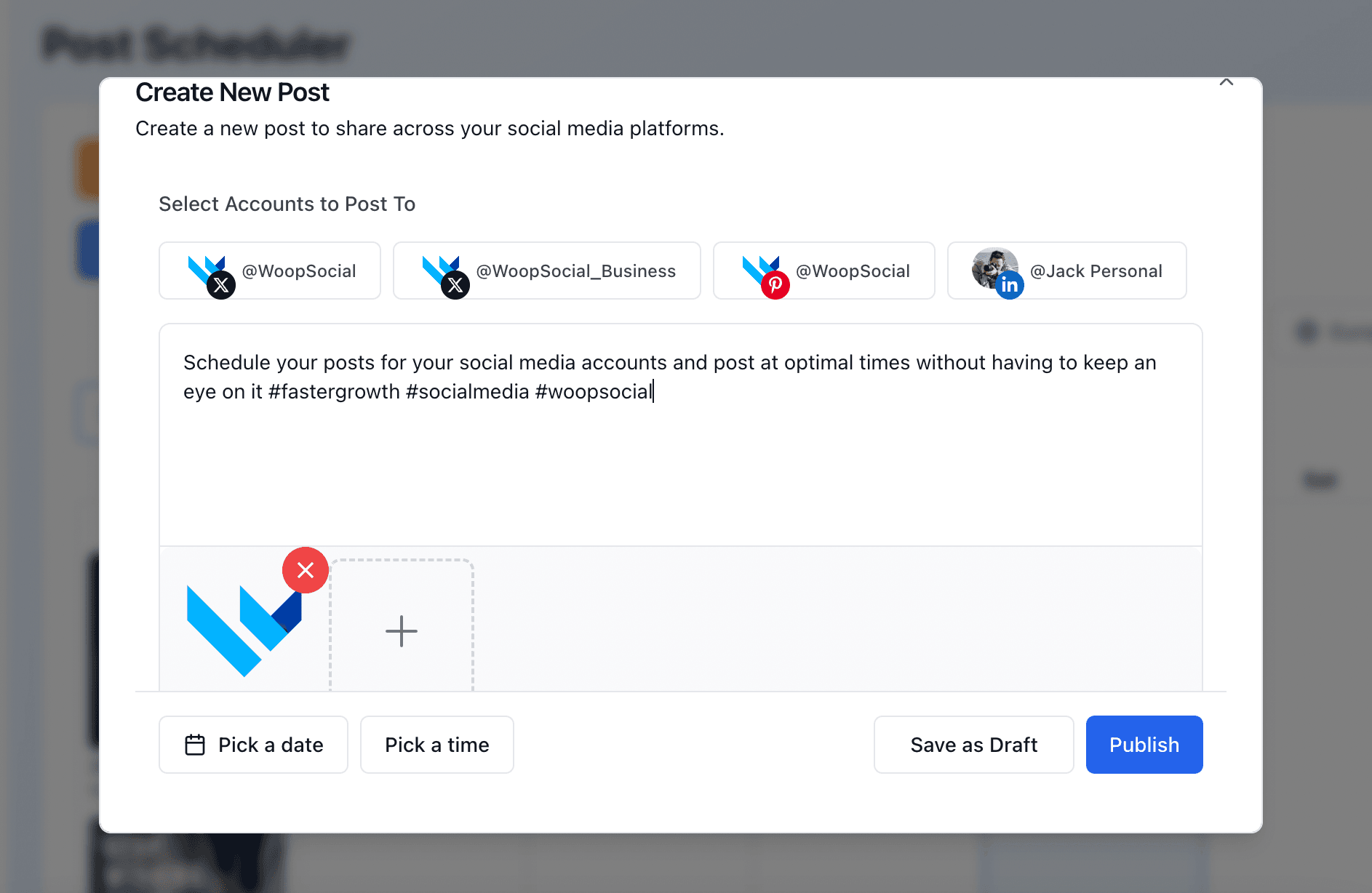
Bluesky requirements & limits
Characters
Posts can be up to 300 characters, 20 more than X allows.
Images
Each post can include up to 4 images, and alt text is supported. Adding alt text makes your posts accessible to more people.
Video
Video can run up to 3 minutes. Trim longer recordings before you schedule them.
FAQ
Can I schedule Bluesky posts via API?
Do I need to handle AT Protocol sessions or app passwords myself?
Can I post images and video to Bluesky?
Can I post to Bluesky, X and Threads in one call?
Can I post multi-post threads?
Does it include Bluesky analytics?
Can AI agents post to Bluesky?
Is it possible to edit or cancel a scheduled Bluesky post?
What happens when my Bluesky session expires?
Learn more
Each card opens another page on this site.
Post to Bluesky with Hermes
On this siteLet your Hermes agent write and schedule Bluesky posts for you.
Open page →
Post to Bluesky with Muse
On this siteLet Muse write your short-form posts and publish them to Bluesky.
Open page →
Post to Bluesky with Grok
On this siteLet Grok write short-form posts and publish them to Bluesky.
Open page →
How to schedule social media posts with MCP
On this siteA step-by-step setup for Claude, ChatGPT and Cursor, with copy-paste prompts.
Open page →
Start posting to Bluesky today
“I connected WoopSocial's MCP to my AI agents, now I can post directly to all my social channels with just one command. Whenever I finish some website work or wrote a new blog post, I simply tell the AI agent to post it directly to my social media channels via WoopSocial. The content generation and bulk scheduling via the web app is also very useful. The time I spent managing social media has been reduced drastically. Gamechanger!”
Connect a Bluesky account, grab a free API key and schedule your first post in minutes. No credit card.
Free plan · 2 accounts · No credit card · API + MCP included