X
X (Twitter) API for Posting: Publish & Schedule Tweets
Post to X without your own developer account or API keys, and with scheduling that X's own API doesn't have. Use one key from your app, an AI agent or n8n.
Free plan · 2 accounts · No credit card · API + MCP included
- Text posts
- Long posts (X Premium)
- Image posts
- Multi-image posts
- Video posts
- Scheduled posts
- Drafts
Last updated 28 October 2026. The pay-per-use prices and the note that XMCP can publish but not schedule are stated as of that date.
Reviewed by Attila Kun, Technical Co-founder. Last updated 28 October 2026.
What is the X API for posting?
The X API for posting/publishing is the official way for apps to publish posts on an X account. It requires a developer account, your own app and an OAuth setup. The X Posting API is pay-per-use since April 20, 2026: it costs about $0.015 to post a single post/tweet, along with $0.20 for posts that contain a URL. There is no scheduling endpoint in the official X Posting API. XMCP can publish your posts but it cannot schedule them. Getting data on follows, likes and quotes are only part of the Enterprise-only plans that X offers.
With WoopSocial, you can post to X without setting up a developer account or managing your own keys. WoopSocial also adds scheduling and drafts that the X API doesn't offer, along with automatic retries and delivery webhooks. That's because WoopSocial's own connection to X already exists, you just connect an account and start posting – it's free to get started. You get 2 accounts and monthly credits for X posts.
WoopSocial vs the X API
| X API direct |  WoopSocial |
|---|---|
| A developer account, an app, keys and OAuth to set up | Connect an X account and you’re done |
| No scheduling endpoint, and XMCP can’t schedule either | SCHEDULE_FOR_LATER and drafts |
| Pay-per-use - about $0.015 per post and $0.20 with a URL | Plan credits: 5 per post, 20 per post with a URL (Pro at $19 gives 1,000 credits, up to 200 posts) |
| Your own retry and rate-limit handling | Automatic retries and delivery webhooks |
Three steps to automated X posting
Step 1
Connect your account
Send yourself, or your own users, a hosted connect link and they approve access to their X account in a few clicks. You actually don't need to create an X developer account or app and you never handle X keys.
Step 2
Create the post
Send one request describing the post - the X account, your text, optional images or video, and when it should go out. Use SCHEDULE_FOR_LATER with a UTC timestamp to queue it, or save a draft.
Step 3
We handle the rest
WoopSocial uploads your media and publishes it at the scheduled time. Temporary failures will retry automatically, and delivery webhooks tell your app when a post goes out or fails.
Everything you need to ship X features
Scheduling X doesn’t offer
X’s API has no scheduling endpoint, and the official XMCP can post but can’t schedule. WoopSocial adds it - you can decide to schedule to your preferred time in UTC, or save a draft.
One message, shorter X copy
Write one update, then use contentOverride to send a short version to X and a longer one to LinkedIn, all in a single request.
Images, video and long posts
Attach images or video to a post. Accounts with X Premium can post long posts of up to 25,000 characters.
Delivery webhooks & retries
Know when a post has been published or failed. Temporary issues retry automatically, so a timeout doesn’t mean a post doesn’t get published.
Three ways in
REST, MCP, n8n/Zapier/Make.
1 · Account
Create a free WoopSocial account
Sign up at app.woopsocial.com/signup (no credit card). You'll authorize through OAuth when the agent connects — no API key required for MCP.
2 · X
Connect your account
Link an X account in the WoopSocial dashboard before you ask an agent to post. No X developer app or keys.
3 · Agent
Add the MCP URL and authorize
Use
https://api.woopsocial.com/mcp. Your client opens OAuth — approve access and you're connected. Docs: Integrating MCP clients.
Install by client
Pick your agent. Cards marked On this site open another WoopSocial page; External opens outside this site (new tab).
Social Media MCP
On this siteStep-by-step install for Claude, ChatGPT and any MCP client, with screenshots.
Open page →
Claude
External1-click: add the WoopSocial connector from Claude's directory and authorize with OAuth.
Open external link →
ChatGPT
On this siteEnable Developer Mode, add the MCP URL, authorize with OAuth, then test in chat.
Open page →
Cursor
External1-click: install the WoopSocial plugin from Cursor Directory, then schedule X posts from the agent.
Open external link →
Hermes
On this siteHermes posts to X natively — MCP config, OAuth, and prompts.
Open page →
Muse
On this siteLet Muse write and schedule X posts for you.
Open page →
Grok
On this siteUse WoopSocial from Grok when a post should go to X.
Open page →
MCP scheduling guide
On this siteCopy-paste prompts and setup for Claude, ChatGPT and Cursor.
Open page →
Config for Cursor / other MCP clients
Prefer 1-click? Install the WoopSocial Cursor plugin. Or paste this into .cursor/mcp.json (or your client's MCP config). Authorize with OAuth when prompted — no API key in the URL. Allowlist *.cloudflarestorage.com if media uploads are blocked.
{
  "mcpServers": {
    "woopsocial": {
      "url": "https://api.woopsocial.com/mcp"
    }
  }
}
Claude Code
One command registers the remote HTTP MCP server. Complete OAuth when prompted.
claude mcp add --transport http woopsocial "https://api.woopsocial.com/mcp"After install — try this
Plain-language X prompt
You
Schedule this post to X for Friday at 5pm
Prefer a full walkthrough with screenshots? Start at /social-media-mcp.
One POST /posts call for text, images or video. Same shape as every other platform.
curl -X POST https://api.woopsocial.com/v1/posts \
  -H "Authorization: Bearer YOUR_API_KEY" \
  -H "Content-Type: application/json" \
  -d '{
    "content": [{
      "text": "Shipping this week."
    }],
    "schedule": {
      "type": "SCHEDULE_FOR_LATER",
      "scheduledFor": "2026-07-03T17:00:00Z"
    },
    "socialAccounts": [{
      "platform": "X",
      "socialAccountId": "YOUR_X_ACCOUNT_ID"
    }]
  }'
All three open external partner sites in a new tab.
REST API example: schedule a post to X
Same POST /posts call with a Bearer API key. Authorization header and request body included.
curl -X POST https://api.woopsocial.com/v1/posts \
  -H "Authorization: Bearer YOUR_API_KEY" \
  -H "Content-Type: application/json" \
  -d '{
    "content": [{
      "text": "Shipping this week."
    }],
    "schedule": {
      "type": "SCHEDULE_FOR_LATER",
      "scheduledFor": "2026-07-03T17:00:00Z"
    },
    "socialAccounts": [{
      "platform": "X",
      "socialAccountId": "YOUR_X_ACCOUNT_ID"
    }]
  }'
Prefer a calendar? Schedule tweets from the dashboard
WoopSocial has a calendar where you can schedule your tweets for the exact date and time you want - X's own API doesn't have this. Use more than one X account? You can view and manage multiple accounts side by side in the dashboard, perfect for agencies or anyone running multiple brands. There are also AI captions for you to explore as well as cross-posting to LinkedIn, Threads and Bluesky from the same screen. The dashboard is built on the same backend as the API so a post your team schedules into the calendar acts just like one your code schedules. Need to check the length first? Try our tweet character counter. The free plan includes 2 accounts and needs no credit card.
Schedule from the dashboard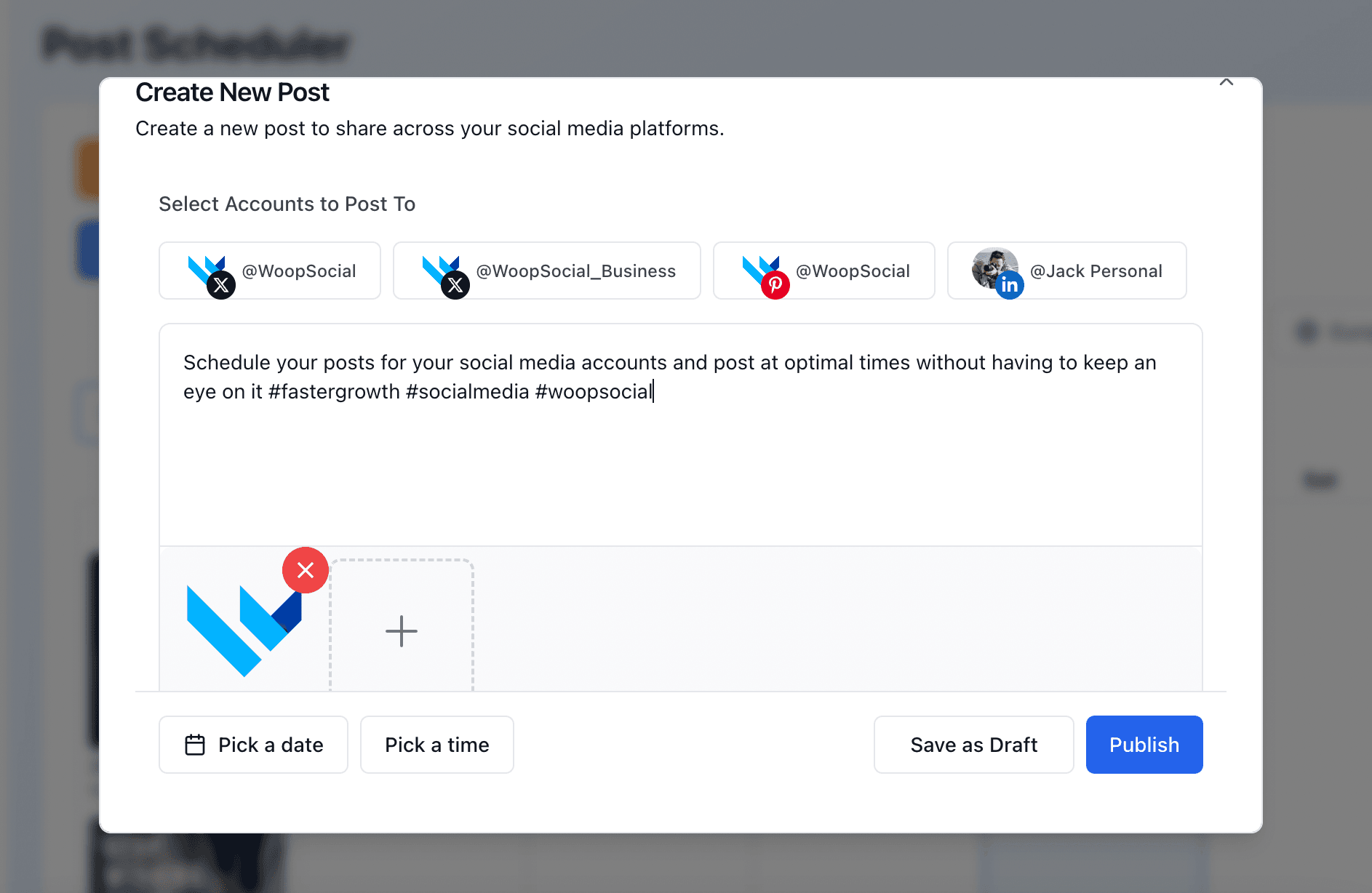
X requirements & limits
Characters
Standard accounts can post up to 280 characters. Accounts with X Premium can post up to 25,000 characters - long posts are supported.
Media
Each post can allow up to 4 images, or 1 video.
Video length
Video can run up to 20 minutes for standard accounts. Longer recordings need to be trimmed before you can schedule them.
Automation rules
X prohibits duplicate or spammy automated posting. Read X's automation rules before you automate.
FAQ
Does the X API support scheduling?
Do I need my own X developer account or API keys?
How much does posting to X cost?
Can I post threads?
Can I post images and videos?
Does it include X analytics?
How many X accounts can I connect?
Can AI agents post to X?
Learn more
Each card opens another page on this site.
Post to X with Hermes
On this siteLet your Hermes agent write and schedule posts to X for you.
Open page →
Post to X with Muse
On this siteLet Muse write and schedule X posts for you.
Open page →
Post to X with Grok
On this siteUse WoopSocial from Grok when a post should go to X.
Open page →
How to schedule social media posts with MCP
On this siteA step-by-step setup for Claude, ChatGPT and Cursor, with copy-paste prompts.
Open page →
Start posting to X today
“I built directly against the v1 API and it held up. Raw-bytes upload with server-side MIME detection, native scheduling that let me drop a whole polling layer, and automatic per-platform field handling so one upload lands correctly on four platforms with the right metadata on each. The automatic AI-disclosure on TikTok was a nice touch given everything I post is AI-generated. It's been live and posting across all my accounts without babysitting. If you're automating multi-platform publishing instead of clicking through a dashboard, this is the rare API that's actually pleasant to work with for an engineer. Recommend it!”
Connect an X account, grab a free API key and publish your first post in minutes. No X developer account, no keys of your own, no credit card.
Free plan · 2 accounts · No credit card · API + MCP included