Free Google Spreadsheets For Social Media (Calendars, Analytics, Content Plans)
Use these free Google Spreadsheets to plan, schedule, and analyze your social media posts with more structure and consistency.
Free Google Spreadsheets For Social Media (Calendars, Analytics, Content Plans)
Using Google Spreadsheets to keep track of your social media posts is a great way to have a good overview. If you are simply going day by day, it is hard to look forward and posting to social media always feels a bit off. It becomes more of a last-minute thing than something you can do with structure.
With a Google Spreadsheet calendar, running your social media is 100 times easier. Plus, you are also more likely to post daily to your channels. But what does a good Google Spreadsheet actually look like here? And what should your spreadsheet contain to ensure that you are getting tons out of your efforts?
On this page, we have collected our spreadsheets that are specifically created for scheduling the right social posts for different platforms, along with creating social media calendars, keeping track of your analytics, and ensuring your content plan is driving revenue.
Here is a list of the free spreadsheets you can download on this page (click them to go to them directly):
- Free Social Media Calendar Google Spreadsheet for 2026
- Free Social Media Analytics Dashboard for Google Spreadsheets
- The Social Media Scheduling Spreadsheet
- The Social Media Content Pillar Spreadsheet
- Social Media Post Idea Bank Spreadsheet
Free Social Media Calendar Google Spreadsheet for 2026
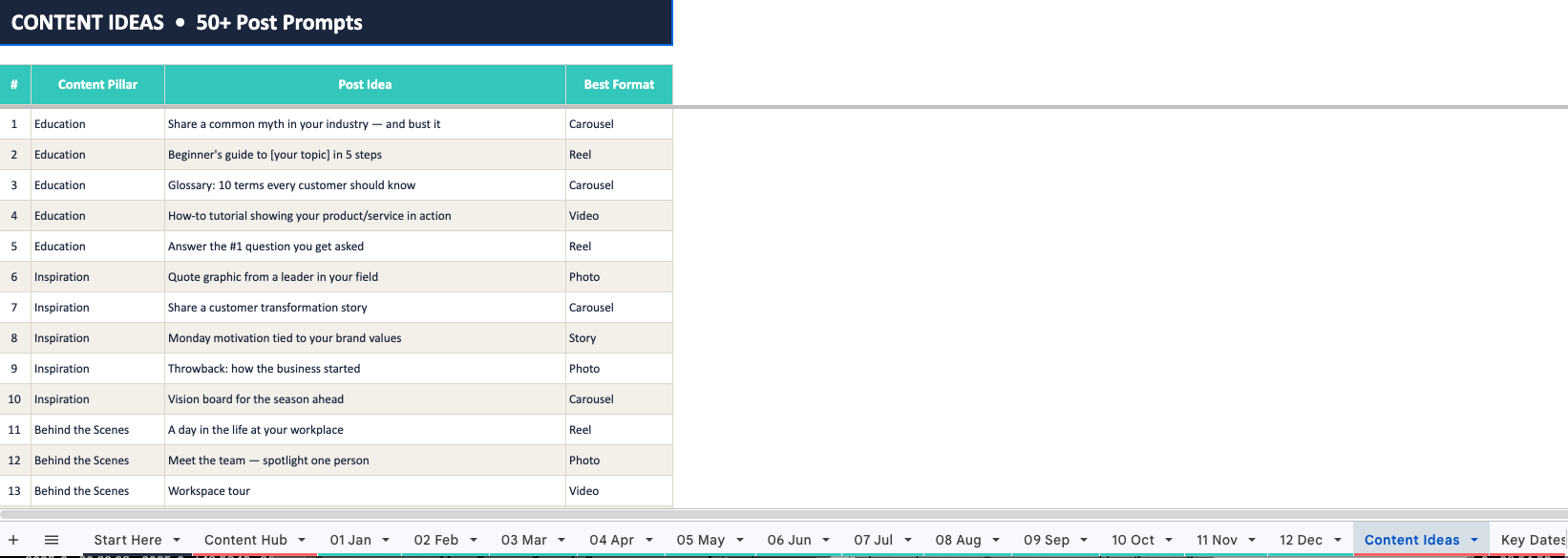
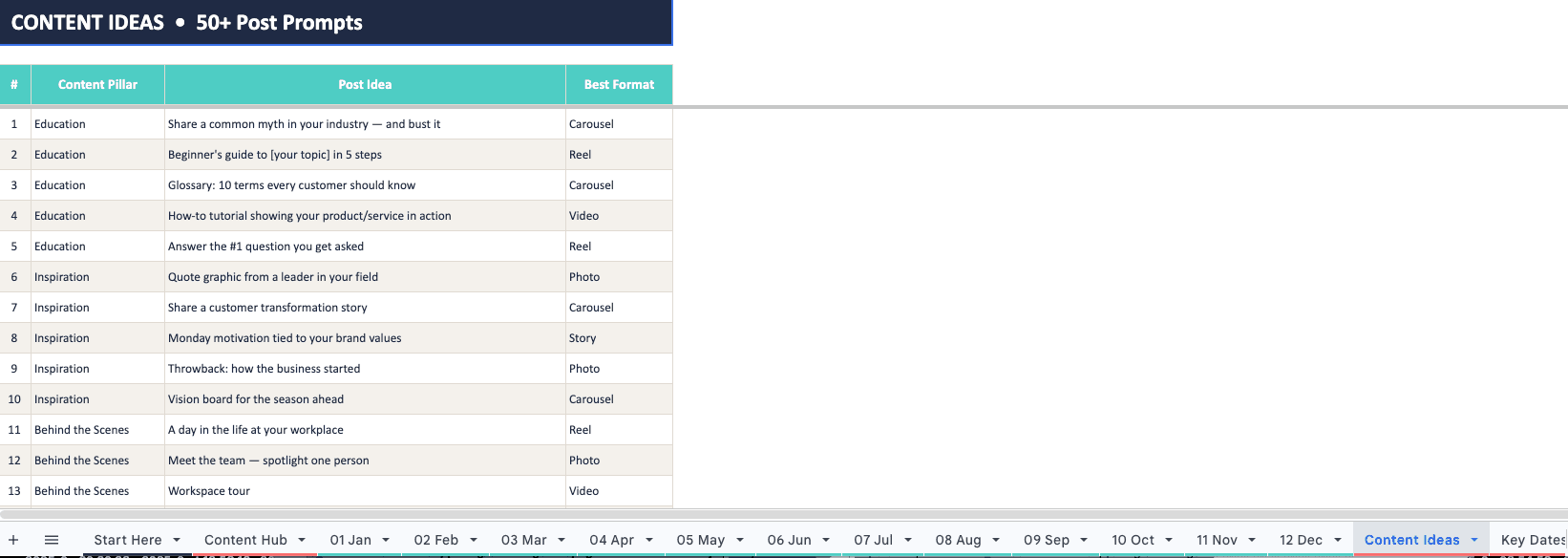
This Google Spreadsheet contains the entire setup that you need for 2026. It contains different tabs for all months of the year. This allows you to create daily posts for your different platforms. Using the 'Key Dates 2026' tab, you can also see all key dates for the year. This tab contains holidays and other themed days for which you can easily create content.
There is a special tab for your analytics, which you can use to track how well your posts are doing and what your overall growth on social media is. This is ideal for both smaller businesses and agencies, as it makes it much easier to report on what is working. To make sure that you always have something to post, we also created a tab that contains content ideas. Whenever you are stuck trying to think of something new, go to that tab, pick one of the ideas, and create that for your social media channels.
Click here to download the Free Social Media Calendar Google Spreadsheet for 2026 >
Free Social Media Analytics Dashboard for Google Spreadsheets
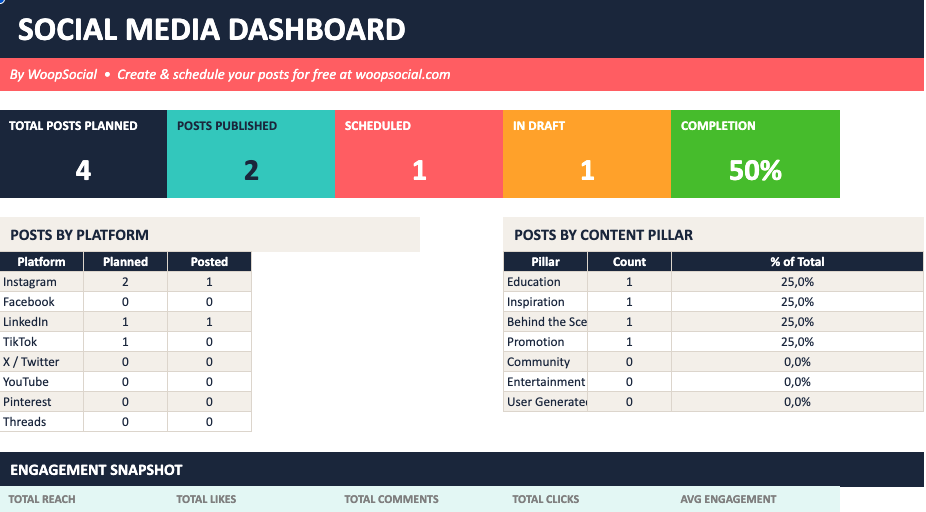
Keeping track of everything you have done so far on social media can usually be a drag. There is not really a central place where you can get all your analytics from different social media platforms unless you pay a lot of money for a tool that does it for you. Another option is to check each platform's analytics and have everything scattered there. But with this spreadsheet, it all gets a lot easier. You can now track all your posts, along with their analytics, in a single spreadsheet.
This is especially helpful when you are looking for changes in your metrics across channels over a longer period. Taking social media seriously is important, and one of the key elements of becoming successful is tracking your metrics week by week, or at least month by month. Whenever you create a new post, simply add it to the spreadsheet. Soon enough, you will have a long track record of all your posts, their categories, and analytics, helping you get insights into what categories are most successful and how to drive better metrics on your channels.
Click here to download the Free Social Media Analytics Dashboard for Google Spreadsheets >
The Social Media Scheduling Spreadsheet
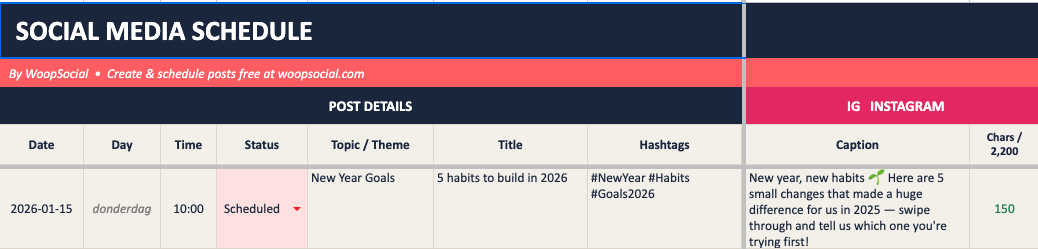
This spreadsheet makes it 100x easier to keep track of the different captions that you use on the social media accounts you are running. Famously, each social media platform still forces you to stay within a certain number of characters. Using the social media scheduling spreadsheet, you can automatically count the number of characters that each of your posts uses per platform.
The spreadsheet is optimized to quickly get a glance at character limits. Simply copy and paste your different posts into the columns for each social media platform. From there, you can see straight away whether the post fits the limits. If not, you can use the spreadsheet itself to make changes to the post while keeping your eye on the character count directly within the tab. This spreadsheet also contains cells for each post, so you can use it over time to keep a log of all your posts in general. It contains columns for Instagram, Facebook, Threads, BlueSky, LinkedIn, X/Twitter, TikTok, and YouTube.
Click here to download The Social Media Scheduling Spreadsheet >
The Social Media Content Pillar Spreadsheet
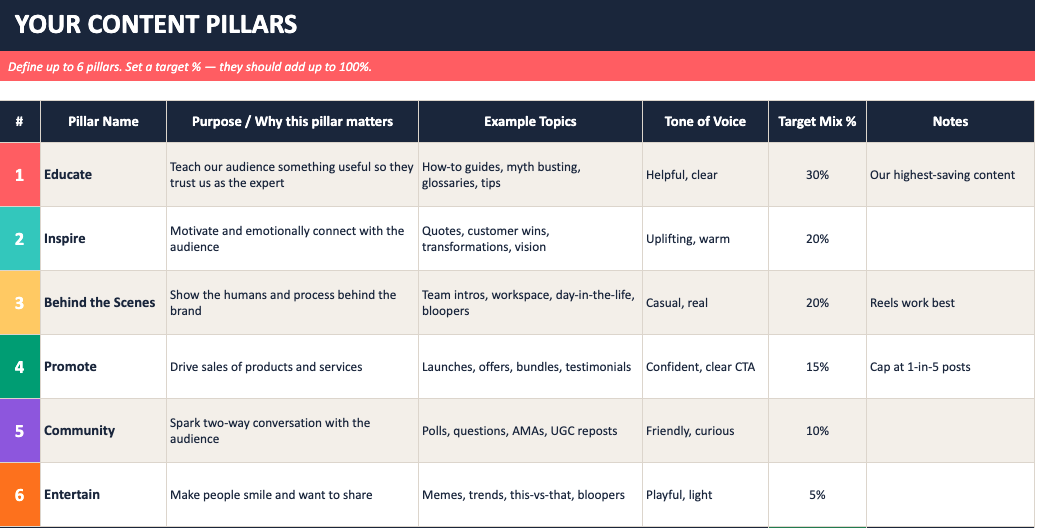
We created something really special with this spreadsheet and it is ideal if you are ready to go much faster to stimulate growth on your channels. The best results on social media often come from testing as much as possible and really understanding what kind of content brings the best results. Using this spreadsheet, you can easily create an overview of that content, while mixing the ideal categories to get more engagement.
The entire spreadsheet is put together based on specific formulas that make it easy to keep track of everything. For example, by selecting a content type, it automatically tracks how often you have created that type. From there, you can see what other topics are currently missing. For example, if you are posting mostly sales-heavy posts, the spreadsheet helps you understand what else to focus on within that mix so you can bring it back to a better-performing, engagement-focused strategy on your social channels.
Click here to download The Social Media Content Pillar Spreadsheet >
Social Media Post Idea Bank Spreadsheet
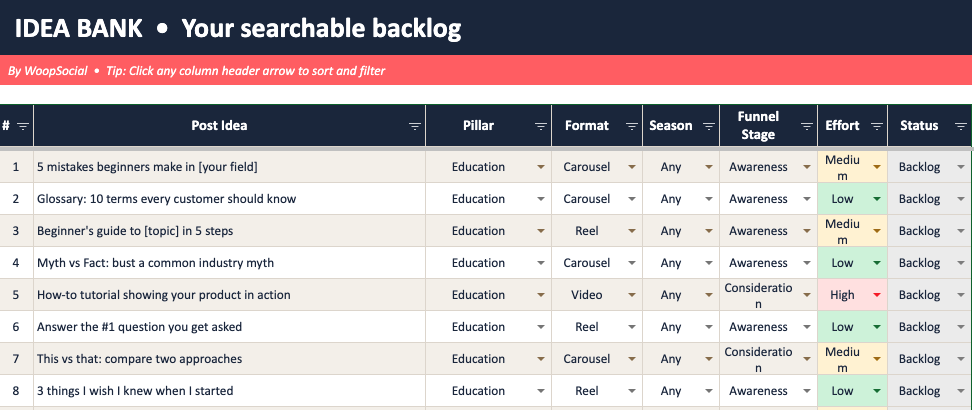
Getting new ideas for social media posts can be a drag. Sure, we have AI now, which makes it slightly easier. But you still want to make sure you sound like yourself when you are posting, and you do not want another run-of-the-mill concept to post about. So we created this spreadsheet to help you find new social media post ideas. The spreadsheet works exactly how you would expect: every cell contains a new idea to post about.
With over 100 cells, there are enough ideas to last you for at least 3 months. In the 'Filter View' tab of the spreadsheet, you will find an overview that is a bit easier to understand. Plus, you can also add your own ideas to the 'Idea Bank' tab, ensuring you have even more posts to create over the next few months.
Click here to download the Social Media Post Idea Bank Spreadsheet >
Download a spreadsheet and schedule your posts
Using the free Google Spreadsheets above, you can ensure that your social media is run like a pro. When it comes to content creation and post tracking, you are covered.
Want to schedule your posts beforehand? Using WoopSocial, you can schedule your own posts created from these spreadsheets easily.