API & MCP included on every plan
Cross-Post Your X/Twitter Content to LinkedIn
Cross-post your X/Twitter tweets, threads, and business content to LinkedIn. Adapt fast-paced tweets for professional audiences and schedule both platforms from one calendar.
Trusted by businesses extending their X/Twitter reach to LinkedIn
Post to X/Twitter through one unified social media API for your apps, AI agents, and automation tools. Use the WoopSocial REST API or MCP server to automate posting — we handle OAuth, tokens, and platform changes so you can ship features.
One API for posting
Publish to X/Twitter through a single unified social media API — no separate integrations per platform
Twitter to LinkedIn Cross-Posting
Select X/Twitter tweets or threads with business or professional content and adapt them for LinkedIn. Expand beyond 280 characters, adjust tone for professional audiences, and schedule to both platforms. For ongoing Twitter content, you can also schedule X/Twitter image posts directly. schedule X/Twitter image posts
- Choose tweets to reuse
- Expand for LinkedIn
- Schedule both platforms
Professional Content Expansion
Transform X/Twitter's concise format into LinkedIn-appropriate posts. Expand beyond 280 characters, add context for professional audiences, and focus on industry insights that resonate with LinkedIn connections.
- Expand tweet content
- Professional tone adjustment
- Industry-relevant context
Unified Business Calendar
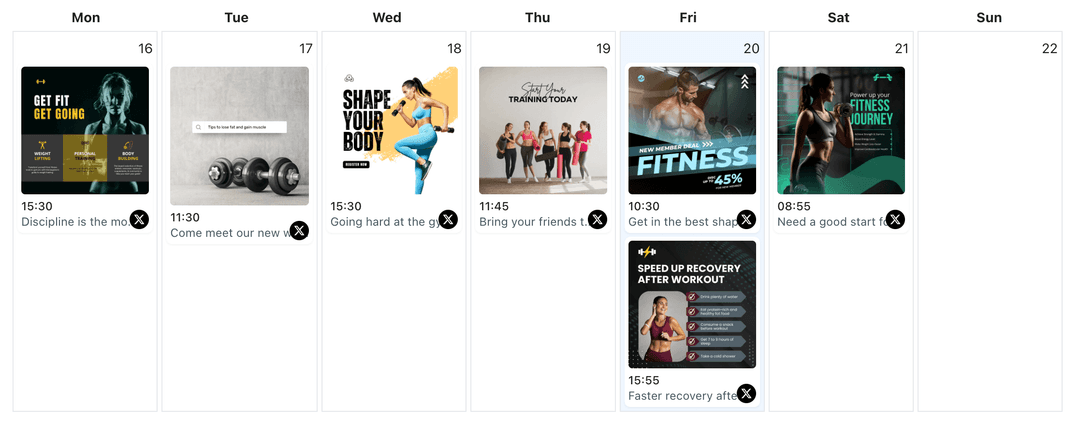
Plan X/Twitter and LinkedIn posts together in one view. Coordinate business updates across both platforms, avoid duplicate announcements, and maintain consistent presence. When planning your strategy, you can also use the X/Twitter content planner to organize your schedule. X/Twitter content planner
- One calendar view
- Coordinate business updates
- Maintain consistent presence
How It Works
Get your free API key
Sign up in under 70 seconds, connect your X/Twitter account, and start calling the unified API or MCP server.
Build your integration
Send posts from your app, workflow, or AI agent with one endpoint — no separate platform SDKs to maintain.
Publish automatically
Schedule or publish X/Twitter content instantly. WoopSocial handles OAuth, tokens, and platform API changes.
Business Content Repurposing
Identify X/Twitter tweets that translate well to LinkedIn. Business updates, industry insights, thought leadership, and professional achievements work across both platforms when adapted for each audience.
Professional Content Expansion
Transform X/Twitter's 280-character format into LinkedIn-appropriate posts. Expand on tweet topics, add context for professional audiences, and focus on industry relevance that resonates with LinkedIn connections.
Multi-Platform Business Presence
Maintain active presence on both X/Twitter and LinkedIn from one workflow. Cross-post business content efficiently while keeping each platform's unique audience and professional tone in mind.
Scheduling Coordination
Coordinate X/Twitter and LinkedIn publishing times to maximize reach. Stagger posts to avoid duplicate announcements and maintain consistent business presence across both fast-paced and professional platforms.
Why Cross-Post X/Twitter Content to LinkedIn?
X/Twitter tweets often contain business updates, industry insights, and professional content that also resonates on LinkedIn when adapted for professional audiences. Cross-posting lets you extend your Twitter reach to LinkedIn, maintain consistent business messaging, and engage both fast-paced and professional audiences from one workflow.
By expanding beyond 280 characters and adapting tone for professional audiences, you can turn X/Twitter tweets into LinkedIn-appropriate updates that reach your professional network. This approach helps you maintain active presence on both platforms while focusing your creative efforts on producing strong source content once, then distributing it to the channels where your audiences spend time.
Best Practices for X/Twitter to LinkedIn Cross-Posting
Select X/Twitter tweets with clear business value or professional relevance. Business updates, industry insights, thought leadership, and professional achievements work well when adapted for LinkedIn. Expand beyond 280 characters to add context, emphasize business outcomes, and focus on industry relevance that resonates with LinkedIn connections.
Maintain appropriate tone for each platform. X/Twitter can be more casual and fast-paced, while LinkedIn requires professional language. Adapt your messaging to fit LinkedIn's business-focused environment while preserving the core message and value of your Twitter content.
Ready to build your X/Twitter integration?
Extend your X/Twitter reach to LinkedIn and engage both fast-paced and professional audiences from one calendar.
Cross-post to LinkedInFrequently Asked Questions
Yes. Connect your X/Twitter account and LinkedIn profile or Company page, select business-focused tweets, and expand them for LinkedIn with professional tone adjustments.
Business updates, industry insights, thought leadership, professional achievements, and threads with professional value perform well when expanded and adapted for LinkedIn's professional audience.
You can cross-post to either a LinkedIn personal profile or Company page. Connect the account you want to use and start cross-posting business content.
Yes, you can expand X/Twitter tweets for LinkedIn before scheduling. Add context for professional audiences, emphasize business value, and focus on industry relevance.
Yes. Cross-posts count toward your monthly post limit. Free plan includes unlimited posts on supported networks.
Yes. You can keep X/Twitter publishing times as they are and set different LinkedIn times from the same calendar to coordinate your business presence.
Yes, you can cross-post X/Twitter threads to LinkedIn. Combine thread tweets into a cohesive LinkedIn post, expand on key points, and adapt the tone for professional audiences.
Extend Your X/Twitter Reach to LinkedIn
Repurpose your business content for LinkedIn, reach professional audiences, and manage both platforms from one simple dashboard.
Get your free API key