API & MCP included on every plan
Schedule Your TikTok Short Videos
Schedule short TikTok videos to your Business account. Upload vertical clips, write captions, and publish automatically when your audience is most active.
Used by creators, local brands, and agencies that rely on short TikTok videos to stay visible in the For You feed
Post to TikTok through one unified social media API for your apps, AI agents, and automation tools. Use the WoopSocial REST API or MCP server to automate posting — we handle OAuth, tokens, and platform changes so you can ship features.
One API for posting
Publish to TikTok through a single unified social media API — no separate integrations per platform
Short Video Scheduling
Upload your 9:16 clips, write captions, and set the exact time each short TikTok video should publish to your Business account. schedule TikTok video posts
- Vertical clip uploads
- Caption + hashtag fields
- Automatic publishing
Campaign-Aware Calendar
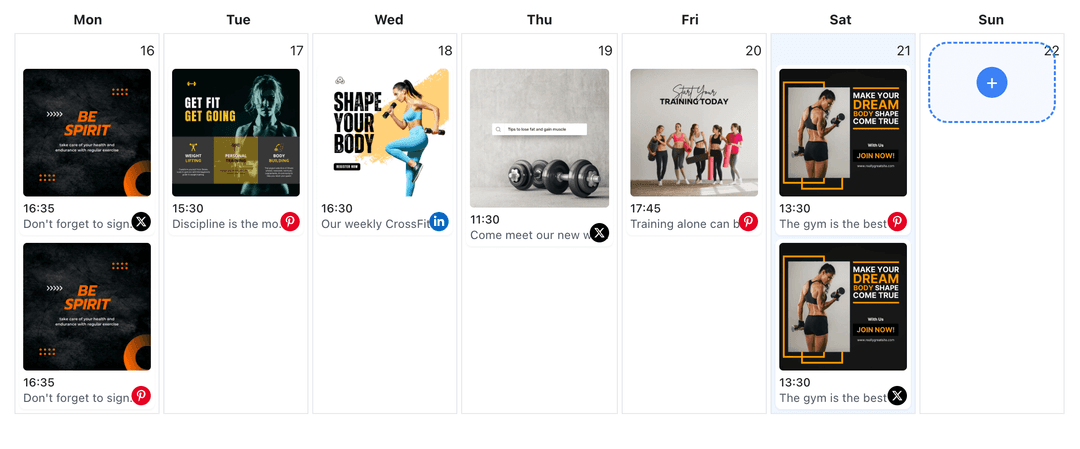
Map short videos to launches, series, or content pillars so trend clips, tutorials, and promotional posts all support a clear plan.
- Theme tagging
- Campaign notes
- Week and month views
Timing Around Audience Habits
Place short videos at times your audience usually scrolls TikTok and shift them easily when you need to react to a new trend.
- Drag-to-move slots
- Timezone awareness
- Gap detection
How It Works
Get your free API key
Sign up in under 70 seconds, connect your TikTok account, and start calling the unified API or MCP server.
Build your integration
Send posts from your app, workflow, or AI agent with one endpoint — no separate platform SDKs to maintain.
Publish automatically
Schedule or publish TikTok content instantly. WoopSocial handles OAuth, tokens, and platform API changes.
Batch-Friendly Editing Flow
Group short clips from the same shoot into different calendar slots so you can stretch one filming session across multiple days of content.
Series and Playlist Support
Use notes and tags to track which short videos belong to ongoing series so viewers see a steady stream of related clips instead of random uploads.
Coordination with Other Formats
Plan short videos next to Stories and image-based video content so every format supports the same launches and messaging.
Why Scheduling Matters for Short TikTok Videos
TikTok’s algorithm rewards creators who show up often with clear signals about what their channel is about. Scheduling short videos makes it easier to keep that signal strong without requiring you to film or upload every day.
By looking at a full week of clips in one place, you can confirm that you are mixing education, entertainment, and promotion in a way that feels natural to your audience.
Keep Short Clips and Long Videos in Sync
Short TikTok videos are perfect for hooks and highlights, while longer clips dive deeper into the same topic. When you plan them together in WoopSocial, you can have short videos tease or recap longer uploads without confusing your followers.
If a short performs better than expected, you can easily duplicate the content pattern later in the month while still spacing it far enough apart that it does not feel repetitive. schedule TikTok video content with images.
Ready to build your TikTok integration?
Stop posting short clips only when you have spare time. Batch them once, schedule them on a simple calendar, and let WoopSocial publish for you.
Get your free API keyFrequently Asked Questions
Yes. Upload your finished 9:16 clips to WoopSocial, choose times, and the platform publishes them to your TikTok Business account automatically.
TikTok short videos are supported on the free plan with unlimited posts on supported networks. Pro adds more connected accounts.
You can drag any scheduled TikTok short video to a new slot in the calendar and WoopSocial updates the publish time automatically.
Short scheduled clips appear in the same calendar as your other TikTok video content so you can see how everything fits together before you film more.
No. Once scheduled, WoopSocial handles publishing to TikTok, even if you are not in the app when the slot hits.
Keep TikTok Short Videos On Schedule
Use WoopSocial’s calendar to turn your backlog of short clips into a reliable posting rhythm your audience can count on.
Get your free API key