Social Media Auto-Publishing: Choose the Right Tool
Busy business owner? Discover the realities of auto-publishing to social media platforms and learn how to pick the right tool to streamline your content management.
Auto Publish to All Social Networks: What It Really Means (and How to Choose the Right Tool)
I completely understand if you are a small business owner and are still looking for an auto-poster that posts on all the social media platforms. As a business owner, you have your hands full taking care of your customers, managing your stock, sending out invoices, and a lot of other stuff. Social media management is the one recurring task that just takes a few minutes here and a few minutes there, which adds up. 1 post takes you to 6 different upload screens, with 5 different caption limits, 3 different aspect ratios, and a general lack of uniformity. Either you’re too busy to take care of it, and look unprofessional, or you don’t take care of it, and fall behind. You need a way to blast everything from a single interface, without having to dedicate your life to it.
According to CoSchedule’s marketing statistics page, 36% of surveyed marketers said their team uses a social media scheduling tool-which shows how common scheduling has become, even before you get into full automation.
Here’s the harsh reality: not all platforms and auto-publish are created equal. The types of automation possible vary based on platform APIs, your account level, and the content type you wish to auto-publish. Business accounts can have different auto-publish permissions than personal accounts. Single image posts may be supported, but short form video, carousels, stories, and certain music uses are not. Even if a platform is supported, it may only support certain content types, or it may require approval for some formats. I’ve seen companies spend days on automation setup only to find that their #1 content type still isn’t supported in a true auto-publishing manner.
In this post, you’ll find a straightforward, actionable method for deciding which one is best for you - without putting your social media presence on the line. You’ll figure out how to determine what that all really means to your business, how to differentiate between a scheduling tool and a full auto-posting platform, how to select a tool based on your actual posting routine and types of posts, and how to automate your posting without putting yourself at risk of suspension, lost posts, or ugly duplicates that tank your engagement.
In 2024, HubSpot reported that 74% of marketers used at least one AI tool at work (up from 35% the prior year) and 46% said social media posts were among the most popular outputs created with AI tools, which helps explain why “auto-publishing” is being searched so aggressively right now.
Now, what does “auto publish to all social networks” actually mean?
What it does (and what it does not mean)
(Or, what does it not mean?) In real life, when people look for an app to automatically post to all social media, all doesn't really mean all, as in every single platform and every single thing within each platform.
What small businesses are typically referring to are the big 9 platforms: Instagram, Facebook, Threads, BlueSky, LinkedIn, Twitter, TikTok, YouTube, and Pinterest because those are the places where people consume content and where the big integrations are available.
If you’re building on the big platforms, it can help to align your process with how people actually repurpose content-WARC’s summary of HubSpot’s 2023 trends report found 48% of marketers share similar content across all platforms with minor tweaks, and marketers use an average of four social media platforms in their content strategy.
The newer social media platforms, specialty platforms, and the latest features inside the big social media platforms are typically not available right away since most platforms roll out features to creators first, then to a small beta, then roll out APIs that third-party tools can integrate with legally.
You’ll also hear folks casually say “auto publish” when they’re talking about three entirely separate functionalities, so distinguishing between them can make your life easier.
The three functionalities are:
- publish-now publish once and have it publish at the same time to multiple platforms
- schedule-for-later create content and have it automatically post at a later date you specify
- crossposting/syndication post on one network and have it automatically re-publish on another network using that network’s own crosspost setting or a content feed
If you want less drama, figure out which one you actually need, because each has different platform permissions and different failure points.
And here’s the cold shower you need for your current content strategy: auto-publishing that varies based on platform, content and account types.
A business or creator account may allow direct publishing that a personal account can’t, and auto-publishing that works for a single-image post may not work for carousels, stories, reels or shorts, or long video.
I’ve encountered configurations that allowed text and single-image posts to go through, but the same setup was broken as soon as we tried to add mentions, product tags, or short-form video, since those features require some additional platform-specific hoops to jump through.
Another reason to avoid the “post once everywhere” approach is that every platform is optimized to favor content that looks like it was created specifically for it.
That means you’ll need to contend with varying image and video dimensions, divergent text requirements, links that may or may not be clickable, soundtracks that may or may not be licensed for specific platforms, and so forth.
If you’re looking for convenience without compromising your branding, consider each platform as a unique endpoint, but use a tool like WoopSocial to manage simultaneous posting to multiple platforms with a single interface, while still tailoring those details that can make a huge difference in engagement and sales.
A capabilities matrix, not a feature list
My approach to tool evaluation is simple: a capabilities matrix, not a feature list.
If I were you, instead of looking at the feature list and trying to figure out if that’s the right tool for you, I’d define what the absolute requirements are for me.
And I would list the social media networks that I need for growth and engagement.
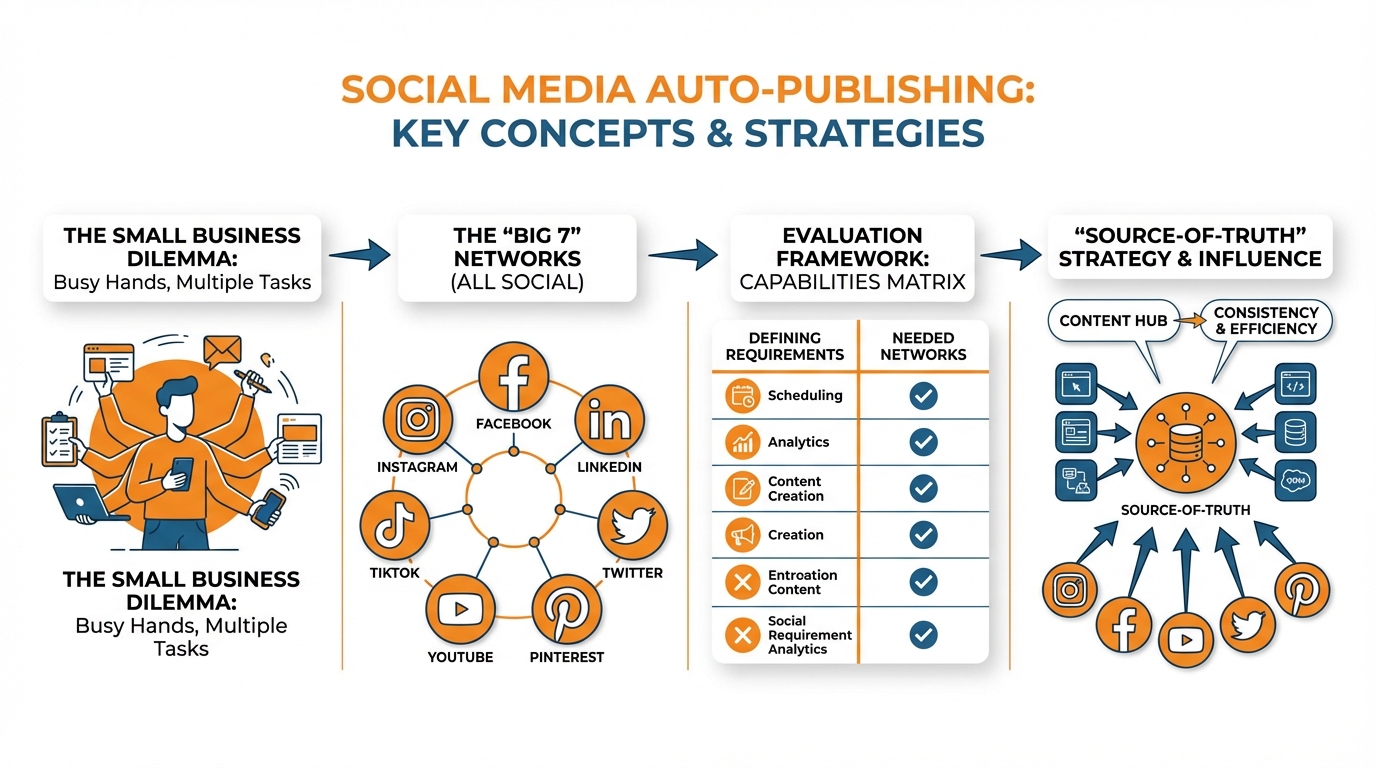
I would list the content types that I need to auto-post.
I would list whether I need a proper auto-post or if I can allow for content to be posted on my phone.
Because if the tool offers TikTok and Instagram, but only supports single photo posts and you post carousels, Reels, or Shorts, it’s not the tool for you.
So go ahead and list your minimum publishing requirements, and then evaluate these tools based on your minimum requirements, not based on what they offer as features.
Now you need to check the tool’s matrix. That is, the grid of features the tool supports network by network, and format by format.
When I see a tool that claims to do everything, I want to check 4 things:
- The list of networks they support
- The method of connecting each network
- What types of posts are supported for each network
- If they mention any sort of notification publishing requirements
I use the connection method as a health risk score. API connections are typically more reliable than “workaround” connections that may not work if the platforms change policies.
If the tool claims auto-posting, but requires you to get a reminder or approve an in-app posting for a particular type of content, you don’t have an auto-poster, you have a “to-do” list.
Most comparison pages give you a wink-nudge on reliability, but this is the line between consistent and random.
I at least perform a single test of error handling, such as trying to use an unsupported aspect ratio or a caption too long, and observing whether it simply fails or tells me exactly what failed where.
I also look for retry behavior, logging, and that it’s easy to see what was posted where and when (because if 1 post per week goes missing, that’s 52 gaps in your brand footprint per year).
In my experience, the top apps tend to work like clockwork, not magic, so: clear logging, clear retries, and clear easy ways to detect and correct issues.
Lastly, you want a tool that works the way small businesses grow: more accounts, more locations, more repurposing without it looking spammy.
I want to see smooth multi-account management, content repurposing without losing the ability to customize by network, and a system where customizing the opening line, the hashtags, the thumbnail, or the link by platform doesn’t turn a 10-minute job into an hour.
That’s why I prefer systems with a centralized interface and per-network APIs, and why I’m leaning towards using something like WoopSocial if you’re in a rush but still want per-network control. If you want to extend this approach into a real system, social media automation is the bigger picture behind what “auto publish” is trying to solve.
You want one process, many native outputs, and no surprises when you hit publish.
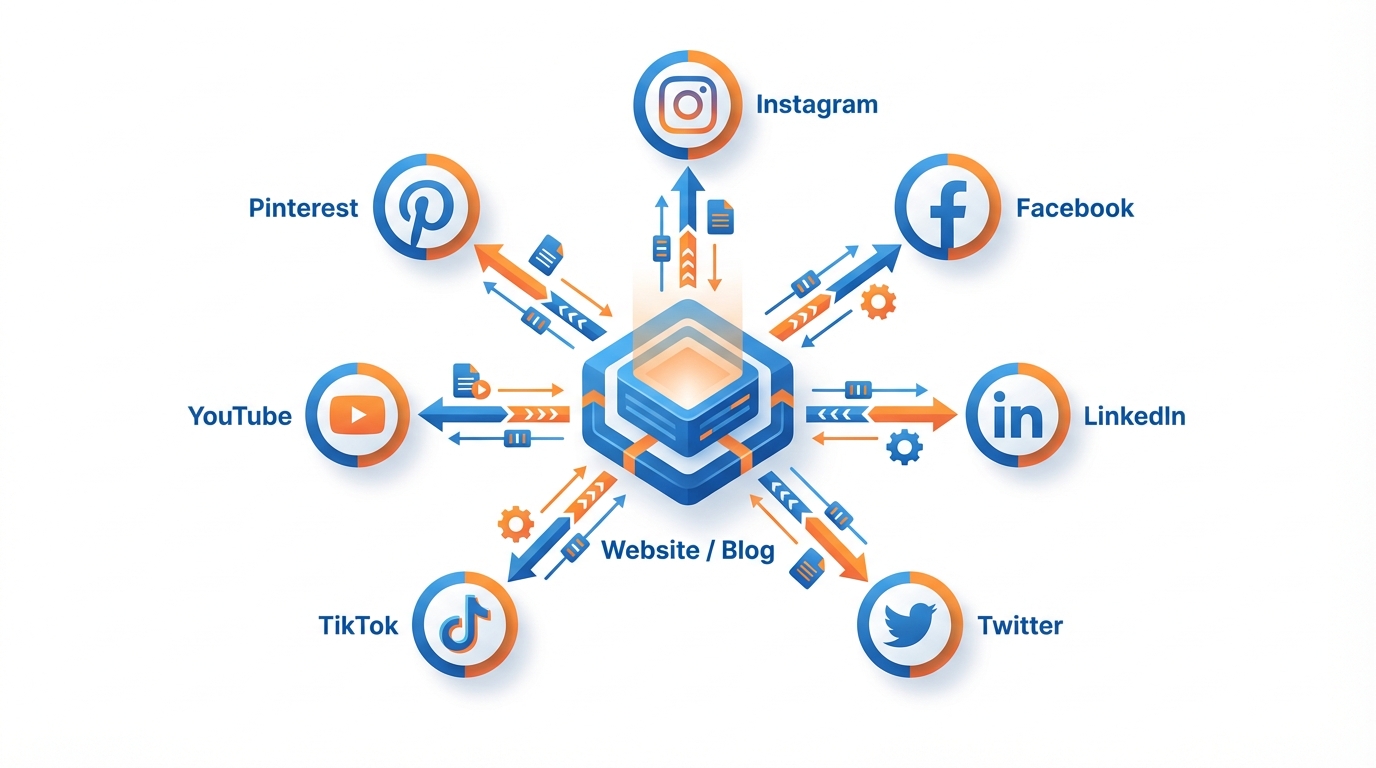
Your “source-of-truth” strategy decides everything
Choosing the correct auto publish everywhere strategy depends on your source-of-truth strategy.
Now if your website or blog is your source of truth, you’re probably not going to get massive engagement from RSS-to-social.
For most use cases, it’s more of a baseline distribution play.
RSS is great for consistency: the post is always posted, the link is always right, you’ll never forget to post.
What often falls down is the first 125 characters, and the format.
In my experience, that’s the thing that’ll make or break a social post.
On most platforms, the first 125 characters is the headline that determines whether people will stop scrolling.
In many cases, your RSS excerpt will begin with a date, a bland introduction, or the start of a sentence that feels like a feed rather than a story.
I find that applying a few rules to each network to customize, even if it’s just the headline, or the image, or adding a single platform-specific call to action or question, makes the post feel purpose-built for the platform rather than simply syndicated.
If you have a single source-of-truth social account, crossposting can be effective only if the original was native enough to the target platform.
I crosspost to maintain presence at the speed of news, but not when it results in duplicate content that signals low effort to algorithms.
Easy litmus test: if the content utilizes platform-specific features like LinkedIn document swipes, TikTok trending sounds, or Instagram-only stickers, then you can safely bet that distributing the same content across all platforms will see a drop in completion rate and share rate, which is the most effective way to teach algorithms to deprioritize you.
Crosspost the concept, but the wrapper has to be network-specific: customize the first line to that audience, the character count, and the graphic or image crop to ensure it populates the screen as fully as that platform expects.
If you are distributing short-form video across platforms, be especially wary of any tool that allows auto-publishing across all networks that advertises that one upload is sufficient.
A Reel, Short and TikTok are similar but enough of a variant to break automation: aspect ratios and safe zones differ, captioning acts differently, sound licensing is not portable, and even simple things like text overlay positioning can negatively affect watch time when it is obscured by UI elements.
For maximum automation success, standardize your master export profile, ensure captions are portable with or without sound, maintain a clean version free of any platform watermark, and prepare a thumbnail strategy, as on some platforms, the thumbnail is the ad asset that gets the first click. Digiday’s 2024 research also showed how fast platform mixes shift-TikTok usage rose from 61% in Q1 2024 to 86% in Q3 2024, and YouTube usage increased from 61% to 73%-which makes your format and workflow choices even more important.
If what you want is a daily post without having to log in every day, the best ROI is to batch once, schedule a month and leave the rest to automation.
You commit to one working session to create your content, write the different versions, and create a few unique graphics that are uniquely yours, and schedule them over the next 30 days so that you never have to worry about what you feel like posting and whether you have time.
And that is where the stack works best: create a month’s worth of content in one go, brand all your images, connect the seven most relevant channels, and schedule to post them all at their best hours all from one screen.
I find that stack tools, like WoopSocial, reduce the effort that kills consistency for small businesses, while still giving you the flexibility to tune per channel to maintain the engagement. If you want a structured cadence, a social media content calendar can make this batching approach easier to keep running month after month.
How I automate without getting accounts flagged (and without being generic all the time)
Most importantly, security.
I don’t want to use an auto-poster that posts to all social media platforms using methods such as scraping, scraping logins, or something that is too good to be true as these will likely fail the instant a social media platform blocks their access or changes how posting works.
The auto poster should post via official permission based APIs wherever possible as this will be the difference between an auto-poster that works after policy changes and one that fails at random or worse, locks your account for suspicious login activity.
I always approach a new integration the same way I would approach a bank integration: If it cannot tell me how it is authenticated and what it is allowed to post, I will not allow it to connect to a business account.
I then implement some 'human checks' that approximate what I'd do in real life that won't hold you up.
Issues are far less likely to occur when you post on each platform at different times rather than posting the exact same thing at the same time across all platforms, particularly when you're running multiple locations or accounts.
Another thing you shouldn't do is post identical text on each platform since posting identical captions is an obvious sign of syndication; I keep one overarching theme, then make smaller but still uniform edits, such as having one opening sentence for LinkedIn and another for TikTok, one set of platform-specific hashtags, and a different closing question.
You want the posts to look and read 'native' enough that both the platform and your audience think you posted them manually and not automatically.
Quality control is the difference between automation that appears high quality and automation that appears spammy, and it should be a quick pass.
For every post going live, I like to take a few seconds on each platform to ensure that the following elements are solid: the hook (first line), the hashtag load and relevance, the link action (clickable, preview, or to move to profile), and the crop/safe zone to ensure no key elements are lost behind UI buttons.
This process should take less than 2 minutes per platform, and will save you from the most typical engagement killers that I see on SMB pages: headlines being cut off, hashtag blocks being too dense, UTM links being broken, and videos that have the text on them being hidden behind interface. If you want to make the tracking part easier, use a UTM generator so your UTM links aren’t broken when you move fast.
Last, I see automation as an ecosystem rather than a one-off exercise.
Your network options are in flux - every couple weeks, re-verify what each network currently supports, as new APIs and features get dropped, permissions differ by account, and a message type that autopublishes now might need approval later.
Develop your process to be agile: maintain a basic log of your posts, observe when there are repeated errors, and be prepared to change format or tweak criteria without starting from square one.
For this reason, I also favor posting services that expose network settings and preferences in a single, easy-to-modify location (WoopSocial does a good job of this) so you can keep it moving without losing your way. HubSpot’s 2026 marketing statistics also supports this “system” mindset: 47% of marketers report leveraging automation to make marketing processes more efficient, and 93% report using automation for administrative tasks like scheduling and documentation.
Em conclusão
The tool to auto publish to all social networks isn't the one that claims to offer the most. It is the one that claims to offer your mix of networks, formats, and your definition of 'auto publish' with caveats explicitly mentioned.
You don't want a tool that supports a network if it can't publish your main formats like short-form video, carousels, or link posts without becoming phone approvals or partial publishing.
When you select based on your actual posting patterns rather than a marketing bullet list, you stop losing time and you stop showing algorithms your content is low-effort.
Last, because it enforces simplicity.
First, reduce your all to the practical platforms you will really post to within 90 days, not the imagined ones.
Then, test that the top one or two formats will actually autopost correctly (if not, you’ll resort to manual posting and your consistency will deteriorate).
Finally, test that the tool is safe and reliable by verifying that it uses official permission-based APIs when available, and that it responds correctly to a single artificial failure test, such as a caption that’s too long or an aspect ratio that’s wrong, with an error, a retry, and an auditable history of what happened.
So you choose the pattern which helps you stay consistent with minimal trade-offs: RSS when your site is your hub and you want the minimal distribution you get with that, crosspost when timing is critical but you can still make the container feel like the original, and batch creation when you want maximum consistency gains for minimum daily grind.
For most small businesses batch will be the winner, because it helps you take an unpredictable task and turn it into a system: get it all done in one go, then have a month’s worth of engagement going for you, and still have the option to customize first sentence, image crop, and tags to make the impression you have ‘walked in’. If you struggle with staying consistent, this pairs well with a deeper look at inconsistent social media posting.
At this stage, what’s most important is saving time getting your content out.
Look for a platform that can streamline the content creation process, does the branding for you, and has all the platforms you need.
It should be a platform that can create content for the whole month in one go and optimize it later.
Consistency is crucial for small businesses.
Did you know that one missed post per week adds up to 52 empty spots in your branding a year?
Using a tool like WoopSocial can help you fill those gaps.
Just remember, the last trick to success is still there: make your posts look native enough to get the engagement.
Related reads
6/14/2026
YouTube API Alternatives in 2026: start developing right away
Skip the YouTube quota system caps and API calls. Compare the best YouTube API alternatives with code examples, pricing and understand recent changes.
6/12/2026
Best Facebook API Alternatives for Developers in 2026 for direct access
The Facebook Graph API review can take weeks. Compare the best Facebook alternatives for posting, scheduling and more.
6/12/2026
Best LinkedIn API Alternatives in 2026 - instant access for developers
See a list of all the LinkedIn API alternatives for all types of use cases so you can skip the waiting time and get right on automating your work on LinkedIn.