How to Select the Best Social Media Auto Poster Tool
Unlock the secret to choosing the best social media auto poster. Learn to match requirements, verify platform capabilities, and use a compliance checklist to prevent account suspension.
The Fastest Method to Select the Best Auto Poster for All Social Media
You’re looking for an auto poster for all social media sites. It’s as if you’re searching for a single button that will send your post to the entire internet. What “all social media sites” really means in practical terms is a more targeted and actionable goal: A single process to reach the right places, in the right formats, for your audience.
The cause for why true post everywhere is hard is not because companies have been doing it wrong. It’s because platforms are different by design. APIs impose restrictions on what can be posted and how frequently. API terms vary between platforms and can change anytime, especially when it comes to automation. Plus, post formats are not fungible. A vertical short isn’t a carousel, or a story, or a reel, or a feed post. Even if two platforms appear similar, they might treat links, hashtags, music, tagging, and editing differently, so the exact same automated post can work on one platform and not on another. I’ve seen automation scenarios work fine in a pitch deck but not in real life because one platform doesn’t support that media type, another requires a manual approval workflow for a certain post type, and a third detects suspicious cross-posting patterns.
In this post, we will show you a step-by-step approach to select a social media auto poster tool for each platform which won’t cost you an arm and a leg or even worse, result in account suspension.
You will learn how to match your requirements with the correct automation tool, how to fact-check both platform and posting capabilities before committing to the tool and lastly how to use a compliance checklist to keep your automation running smoothly as your business grows. If you want a companion guide for staying consistent, see inconsistent social media posting.
Confused by what an auto poster does?
It’s one of four types of automation tools (I’ll explain which is right for you too)
If you’re looking for an auto poster for all social media, you probably imagine that there’s a single button that you can press to take care of all of that for you.
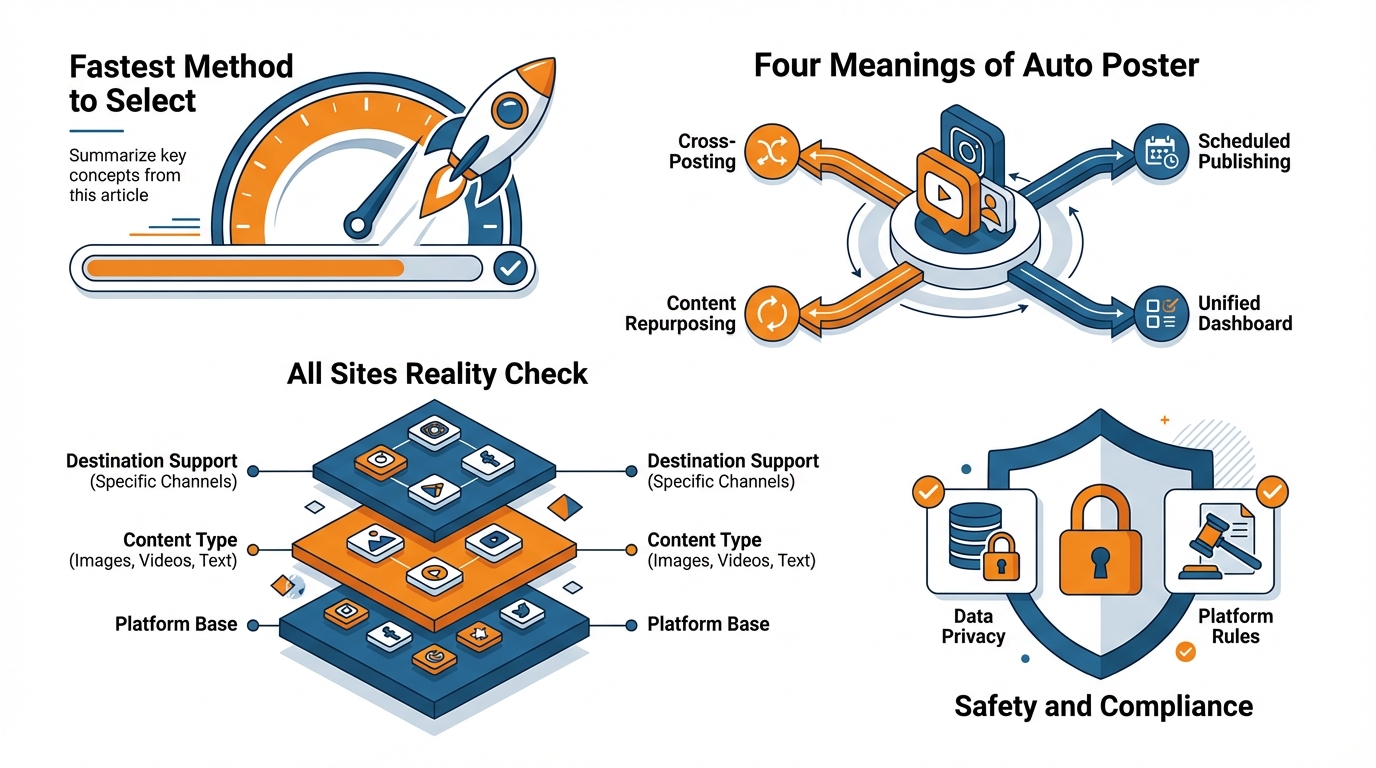
The truth is that there are actually four meanings of auto poster, and they help you with four different things.
The quick victory is determining which of those you need, because most programs are designed to do one (maybe two) of those things, and that’s when things get messy, especially when you expect all four.
The four meanings of “auto poster”
The first one is posting to multiple platforms simultaneously. It’s called cross-posting. And this is the way to go when your post needs to be seen immediately, without a requirement for optimization, such as:
- a “Today’s special” post by a local restaurant
- a “We’re closed due to weather” or “Last minute booking available” post by a dentist’s office
This is when it’s important to get the news out ASAP. And that’s when you want to use this technique. You don’t expect your highest engagement from these posts, but you expect to not miss a post on your account and expect to respond faster.
Also, keep in mind that engagement might not be as high because formats and link functionalities might differ from platform to platform. I personally use it when I need something done ASAP and when I am okay with the fact that I will need to revisit the same post on one of the platforms later to make some last-minute adjustments to make it shine. If you want a broader framework, compare this to social media automation.
The second is automated posting of backlogged content and autoposting triggered by publishing new content.
Backlogged content is preloaded into a system and the system posts it for you. It’s ideal for times when you are busy with work, and you don’t want to post every day. You define success after 30 days of continuous posting without a sense of urgency and an increase in your page views and direct messages.
New content autoposting is triggered by new content, for example, blog posts, videos, events, and product listings that get posted on social media. Ideal users are e-commerce brands who want to autopost every new product; agencies that autopost their clients’ new content and creators who autopost new content. Success is how fast you post and how wide your coverage is (nothing gets posted without going social). For context on how much time this can save, social media marketers spend ~5 hours/week on content creation and approvals (average) according to how marketers actually spend their time (survey base: 500 social media marketers in the US and UK).
The fourth is evergreen recycling which means we recycle your best posts on an automation that doesn’t spam like spacing, rotation, and variety so you don’t spam too much.
That is the way that quietly drives the biggest compounding results for small businesses because your audience doesn’t see everything the first time it is posted.
And often times the platforms themselves only show your posts to a fraction of your followers.
I use the evergreen recycling like an inventory automation tool.
I find what’s working.
I automate it with guardrails so it posts it again safely, and then I judge the success based off of the amount of leads or store visits you continue to get over time instead of just one viral post.
If you’re looking for a tool that allows you to create and schedule on-brand posts really quickly and easily and then post them across all the platforms at once from one place… WoopSocial is a great tool to post content regularly, but again it depends on the automation strategy first so you know what to expect. You can also explore WoopSocial to see what “one place” looks like in practice.
The “all sites” reality check: supported platforms is just the tip of the iceberg
A lot of websites force you to evaluate tools based on the icons that the platforms display, but that's a bad decision factor.
You're not purchasing platform support, you're purchasing platform + content type + destination support.
That's the difference between the auto poster for social media that you buy actually posting, and you having to do it by hand.
You have to consider the types of content that you really post, and where you want it to end up: a feed post is not the same as a short video, a carousel, a story, or a post for a community, and each platform has different APIs for all of those.
This is where the post everywhere magic fails in real world deployment.
The profiles vs pages vs groups gotcha is the biggie: it might work on a page, but not on a group, or it might only work from a profile, or it might only work with certain types of media.
I’ve seen small businesses plan an entire week’s promotion to a local community group, only to find out the tool can only send a reminder, because group posting isn’t available or reliable.
If groups are part of your acquisition strategy, this is a dealbreaker.
A reminder isn’t automation.
A reminder is a to-do list with a clock.
Next there are the variables that cause one post to multiply into five.
Handling of first comment is an important one: many platforms will handle links and hashtags much better in the first comment, but a lot of auto-posters can't post them there (or post at the right time, at least), so you either lose a bunch of reach, or add manual effort.
Link previews are another silent-killer here: platform A will show a clean link preview, platform B won't show it at all, and platform C will show it, but only if you move the link to the comments or shorten the link to avoid awkward formatting.
Add in character limits, hashtag formatting, and aspect ratios, and you actually have to deal with constraints: a vertical short that will look perfect on one platform will get cropped, letterboxed, or fail to post on another, so you'll be expecting per-platform media exports and copy variants if you care. For relevant media formatting constraints, see vertical video aspect ratios. And for how benchmarks shift by platform and format, this benchmark analysis analyzed 5+ million posts and 10+ billion interactions across Facebook, Instagram, TikTok, and Twitter/X.
If you don’t want to be tricked, you want to see something that looks like an operations manual, not a sales brochure.
You want to see a clear breakdown of what types of posts it can publish where, and which ones it can’t (but will prompt you to publish manually).
And if the tool can’t make that clear for you, then it isn’t an autoposter.
It’s semi-automated with some invisible heavy lifting.
And this is why an integration list like WoopSocial’s is actually easier to test in practice: you can rapidly check whether it covers the big platforms you use, and more importantly, which things it can actually auto-post instead of prompting, before you’ve committed to designing your workflow around it. If you’re specifically trying to create posts quickly before scheduling, an AI social media post generator can help you validate your workflow end-to-end.
Safety and compliance - how I verify that auto poster will not cause any account suspensions
So, if you select a social media auto poster, security is a must.
The quickest way to kill the buzz around a young business is to choose an insecure tool for some website and experience a partial posting ban, a block, or a temporarily suspended account, when you are just trying to automate.

Doing it for several platforms at the same time multiplies the risk of losing your accounts.
The reason is that you are probably going to use the same authentication method on every platform.
The aim is to have each post go through the same authentication process and be posted at a rate that is acceptable to the website, with errors being properly logged.
TL;DR: you check for explicit evidence that it's using APIs or supported integrations when it needs to, and you require that it says so explicitly (not ambiguously) for every platform it claims to work with.
You view browser-emulation as a risk unless it's a fallback option, since it often breaks when platforms update and often creates flagged login behaviors.
If a vendor cannot clearly (in layman's terms) describe what happens and what is allowed on the platform, you should assume it is dumping risk onto your accounts.
Second, you test for reliability before you amplify volume.
This means clear rate limits, well-defined retry mechanisms, and clear error messages to ensure that posts are never silently dropped and you are left under the illusion that you are daily when you actually missed a day or two.
In my experience, silent drops are underappreciated: once you get to posting bursts to multiple channels, a 1 to 3 percent drop rate means a few dropped posts per month, and that is enough to throw off the stack and squander promotion budget attached to dates.
Also, you are looking for anti-spam and anti-duplication mechanisms, since repetitive automated patterns are pretty easy for both platforms and humans to recognize: duplicate detection, content variation, and spacing (you can’t blast the same message across everywhere in the same few minutes) are typical guardrails here.
Last, you keep automation in its place so you don’t end up publishing duplicate content.
You can fully automate any content for which timing is critical like news, product releases, or company announcements but you should always have a light touch review for anything requiring the details like customer engagement, regional promotions, and CEO messaging.
Personally, I always automate the core graphic creation and formatting, then I’ll do a quick per-platform edit to customize the initial sentence, headline, and link position to ensure it’s native, not simply syndicated.
That’s also why I often prefer products that clearly state which posts can be auto-posted versus those that require a manual post, and how a single-publish dashboard like WoopSocial can be used in your automation, as long as you are following these steps to comply before increasing the load. For additional context on outcomes, an experimental study of generative AI on social media ran a controlled experiment with 680 U.S. participants across 5 conditions (control + four AI interventions).
If you are in the market for a good auto poster (and a sneaky way to get content made for you) here is what I look for…
When you compare the best auto poster for all social media, the object of the game isn’t to get the most logos on the list. The object of the game is to maintain consistency and reduce work.
As a small business owner, this means you want a single location where you can monitor everything you’re publishing on the media you actually use, and you want to be able to schedule a full month’s worth of content quickly enough that batching becomes a part of your routine, rather than a weekly or weekend chore.
Because in reality, batching is where the magic happens: once you can schedule 20-40 posts at a time, you’ve eliminated the daily grind, and consistency ceases to be a motivational issue and becomes a systematic process you can standardize.
The second set of must-haves is what prevents cross-posting from feeling automated.
You require consistent brand voice and branding at scale so the post still comes across as you even when it’s posted on every platform, but you also require some basic formatting options so it doesn’t feel like a copy and paste job: changing the first sentence for LinkedIn, shortening the characters for X, changing the position of the link, and avoiding awkward image crops with platform-friendly image formats.
I personally always approach this as a two step process: develop a single master concept and then tweak for platforms, but this is usually a few minute edit rather than a full edit, because the key difference between posting native and posting syndicated is usually the hook, the formatting, and the first 120 characters.
Evergreen and queue rules are the difference between publishing and spamming.
You need to recycle to limit the frequency of your best performers, prevent recirculating them too soon after the last, and to keep that consistent to avoid sending the same people the same note in a repetitive cycle.
That is important because even at 2 percent (and both of those numbers can easily occur, as if you publish 120 things a month and 2 percent fail, that is 2 or 3 posts you assumed were going out… and if 10 percent recirculate too quickly, that is training your audience to ignore your content).
That, paired with basic tracking hygiene (a UTM scheme you apply consistently every time), will finally let you know what is working by platform, by content type, and by offer, rather than by gut. For a practical way to standardize tracking, use a UTM generator so the scheme is applied consistently every time.
Cost: here is where you have to tell the truth.
If they’re significantly cheaper, it’s because they sacrificed one of the three things that will come back to bite you later: platform API resilience, error transparency, or TOS transparency.
You’re trading off ease of use, but often at the cost of invisible ongoing maintenance and risk.
If you’re looking for ease of use, without giving up control, and you want to just bang out a month’s worth of posts in WoopSocial and schedule them all to Facebook, Instagram, Threads, BlueSky, LinkedIn, Twitter, Pinterest, TikTok and YouTube from one place, all in one go, without forcing a small business to adopt an Enterprise product.
Conclusion: The Fastest Method to Select the Best Auto Poster for All Social Media
The trick to quickly selecting an auto poster that works on all social media sites is to adjust your definition of all sites to all sites that my customers actually use that support the types of posts I actually make.
For a small business, that generally reduces the list to 2 to 4 platforms instead of every platform on a vendor’s banner.
If you buy based on the wrong definition, you will be paying for features you will never use and still end up having to manually post to places that are important to you like groups versus pages, link support, or video formats.
I have seen businesses spend weeks on setup because the tool integrated with the platform they wanted to use, but not the specific features they needed for that platform.
Lastly, let’s summarize how to take this choice and distill it down to a one-and-done decision.
- Decide which automation type you want to use before purchasing: which of cross-posting for urgent posting, auto-posting for new content, scheduling for buffered content, and recycling for repeat posting.
- Make sure the tool offers that support on the platforms and content types you need, meaning stories, reels, and carousels, and for pages, profiles, and groups.
- Ensure it’s allowed: many cheap alternatives that utilize browser imitation will be at risk and even increase your risk of being restricted. You should have no doubt as to what is supported, how login is handled, and how failed posting is handled to ensure it doesn’t disappear.
Next, you need to ensure that the tool will allow you to maintain consistency without making your social media look robotic.
This means you need brand protection features that allow you to keep your brand’s voice and visual style consistent, as well as rapid-fire posting to enable easy batching.
One key metric that small businesses overlook is the reliability metric, where even a 1 to 3 percent post failure rate can mean 2 to 4 missed posts per month out of 120 posts, which can throw a wrench into events or seasonal promotions.
Ease of use is also important because the most effective posting frequency is generally 20 to 40 posts in a batch; if it takes you two hours to schedule a month’s worth of posts, you will defer to the next month.
But if it only takes you 15 minutes, you’ll do it.
The immediate action you can take is this: count how many platforms you actually use, identify your two go-to formats, and find a universal auto-poster that clearly says it handles those two formats on those two platforms. If you want to validate where your audience actually is, 84% of U.S. adults say they ever use YouTube, 71% use Facebook, and 50% use Instagram in a 2025 U.S. social media usage survey (survey: 5,022 U.S. adults, fielded Feb 5-Jun 18, 2025), and 73% of teens say they go on YouTube daily and about six-in-ten teens visit TikTok daily in a 2024 teen usage report (including “almost constant[ly]” usage for a subset).
As a sanity test, I want to see them clearly list which formats are supported where and I need one tab to create and schedule consistent content on the big two platforms I actually use, which is why a tool like WoopSocial works if your main concern is to automate a lot of content really fast.
Commit to a month of scheduling and evaluate based on the metrics you can intuitively understand as a small business: how many times you got posts up on time, how fast you could get sales posts out, and how much of a sense you now have of what platform and format is actually leading to phone calls, reservations, and foot traffic.
Related reads
6/14/2026
YouTube API Alternatives in 2026: start developing right away
Skip the YouTube quota system caps and API calls. Compare the best YouTube API alternatives with code examples, pricing and understand recent changes.
6/12/2026
Best Facebook API Alternatives for Developers in 2026 for direct access
The Facebook Graph API review can take weeks. Compare the best Facebook alternatives for posting, scheduling and more.
6/12/2026
Best LinkedIn API Alternatives in 2026 - instant access for developers
See a list of all the LinkedIn API alternatives for all types of use cases so you can skip the waiting time and get right on automating your work on LinkedIn.