API & MCP included on every plan
Cross-Post Your LinkedIn Content to Instagram
Cross-post your LinkedIn images and thought-leadership snapshots to Instagram. Keep your professional voice while adapting captions for the Instagram feed from one calendar.
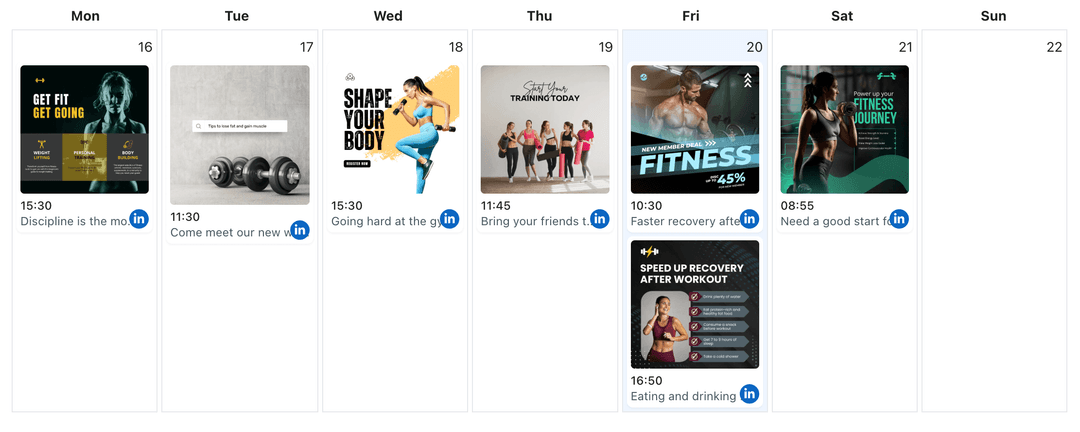
Used by consultants, founders, and teams sharing professional stories on Instagram
Post to LinkedIn through one unified social media API for your apps, AI agents, and automation tools. Use the WoopSocial REST API or MCP server to automate posting — we handle OAuth, tokens, and platform changes so you can ship features.
One API for posting
Publish to LinkedIn through a single unified social media API — no separate integrations per platform
LinkedIn to Instagram Cross-Posting
Choose LinkedIn posts or Company Page updates, keep the key image, and tailor the caption for Instagram. When you need fresh LinkedIn content, you can also schedule LinkedIn image posts from the same dashboard. schedule LinkedIn image posts
- Select profile or Page posts
- Adapt captions quickly
- Schedule both feeds
Professional Tone, Visual First
Keep the authority of your LinkedIn message while leading with imagery on Instagram. Front-load the takeaway, keep hashtags lean, and avoid links that break the feed experience.
- Lead with the hook
- Maintain brand voice
- Limit hashtags
Campaign Coordination
Plan LinkedIn announcements and Instagram posts on the same calendar. Stagger product news, culture updates, and hiring stories without repeating them on the same day. LinkedIn content planner
- One campaign view
- Avoid feed overlap
- Balanced cadence
How It Works
Get your free API key
Sign up in under 70 seconds, connect your LinkedIn account, and start calling the unified API or MCP server.
Build your integration
Send posts from your app, workflow, or AI agent with one endpoint — no separate platform SDKs to maintain.
Publish automatically
Schedule or publish LinkedIn content instantly. WoopSocial handles OAuth, tokens, and platform API changes.
Caption Reshaping
Convert longer LinkedIn copy into concise Instagram captions. Keep the hook upfront, remove links that do not belong in captions, and keep any CTA focused on brand awareness.
Visual Alignment
Ensure every image meets Instagram framing. Crop for square or vertical layouts, keep logos clear, and reuse LinkedIn-approved creative without re-exporting.
Team-Friendly Scheduling
Coordinate posts for multiple Company Pages and Instagram accounts from one calendar. Switch accounts without reauthorizing to keep campaigns moving.
Calendar Awareness
See LinkedIn and Instagram commitments in one view so hiring updates, product launches, and thought-leadership pieces do not collide across feeds.
Why Cross-Post LinkedIn Content to Instagram?
Your LinkedIn posts already carry authority and clarity. Repurposing them for Instagram lets you present the same ideas visually, meet audiences where they scroll, and reinforce brand consistency without rebuilding assets.
With one calendar, you can separate employer brand stories, product highlights, and leadership takes so each audience sees the right message at the right time.
Best Practices for LinkedIn to Instagram
Lead with the main takeaway and keep captions shorter than your original post. Remove URLs from captions, keep hashtags relevant, and choose imagery that stands on its own.
For multi-image reports or event recaps, convert the story into a concise carousel. Use the first slide to anchor the theme and keep the sequence lean so viewers swipe through without losing context.
Ready to build your LinkedIn integration?
Bring your LinkedIn visuals and insights to Instagram without duplicating work. Keep both feeds aligned from one planner.
Cross-post to InstagramFrequently Asked Questions
Yes. Connect the Company Page, select approved posts, adapt the caption, and schedule them for Instagram alongside your other campaigns.
No. Each platform keeps its own timing. You can stagger or separate posts while viewing both calendars in one place.
Keep hashtags lean and relevant. Prioritize the hook in the first line, then add only the tags that support discovery for that post.
Yes. Cross-posts are supported on the free plan. Pro adds more connected accounts and removes other plan limits.
Pro users can connect multiple Company Pages. You can switch between them and publish to a single Instagram account or several, depending on your plan.
You only adjust what is necessary for Instagram. Shorten the intro, remove links, and keep the core message so it fits the feed.
Yes. Single images or grouped carousels work well. Choose the visuals that carry the story and keep text concise.
Share Your LinkedIn Story on Instagram
Repurpose professional posts, keep messaging aligned, and publish to Instagram without extra tools.
Get your free API key