API & MCP included on every plan
Schedule Your YouTube Shorts
Schedule YouTube Shorts to your channel. Upload vertical clips up to 60 seconds, add titles and descriptions, and publish automatically from one calendar.
Relied on by creators, educators, and brands that use YouTube Shorts to reach new viewers between longer uploads
Post to YouTube through one unified social media API for your apps, AI agents, and automation tools. Use the WoopSocial REST API or MCP server to automate posting — we handle OAuth, tokens, and platform changes so you can ship features.
One API for posting
Publish to YouTube through a single unified social media API — no separate integrations per platform
Shorts Scheduling
Upload vertical clips up to 60 seconds, add titles and descriptions, and schedule each Short so it publishes at the right moment on your channel. schedule YouTube videos
- Shorts-specific workflow
- Title and description fields
- Automatic publishing
Channel-Wide Planning
Plan Shorts alongside your long-form uploads and community posts so quick hits support the same campaigns as your main videos.
- Series and playlist tags
- Campaign notes
- Balanced upload cadence
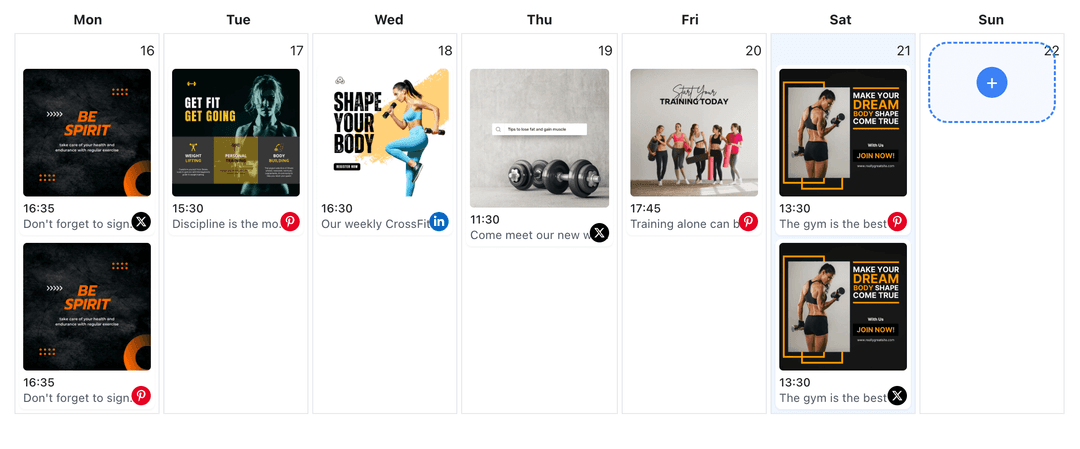
Calendar for Short-Form
See Shorts on a visual calendar so you can avoid stacking releases and keep viewers returning to your channel multiple times a week.
- Week and month views
- Drag-to-reschedule
- Gap detection
How It Works
Get your free API key
Sign up in under 70 seconds, connect your YouTube account, and start calling the unified API or MCP server.
Build your integration
Send posts from your app, workflow, or AI agent with one endpoint — no separate platform SDKs to maintain.
Publish automatically
Schedule or publish YouTube content instantly. WoopSocial handles OAuth, tokens, and platform API changes.
Batch Upload Support
Upload multiple Shorts in one session and spread them across days or weeks so your channel keeps posting even when you are focused on editing long-form videos.
Shorts and Long-Form Coordination
Use notes to mark which Shorts tease, recap, or repurpose your longer videos so your upload schedule feels like a connected series instead of isolated clips.
Time-Zone Aware Posting
Schedule Shorts relative to your audience’s time zones so content goes live when viewers are most likely to watch on mobile.
Why Scheduling YouTube Shorts Matters
Shorts are powerful for reaching new viewers, but their impact multiplies when they show up in a steady rhythm. Scheduling helps you avoid long gaps between uploads, even if your filming days are irregular.
By planning Shorts along with regular videos, you can use them intentionally- to test hooks, highlight key moments, or create quick follow-ups that keep successful topics alive longer.
Keep Shorts in Step with Your Content Plan
Treat Shorts as a flexible layer in your YouTube content strategy rather than random extras. When you see them inside the same planner as your main uploads, it becomes easier to give each release a role in growing watch time and subscribers.
You can schedule Shorts before a big release to warm up interest, or after long-form videos to resurface the same idea for people who missed the full episode. build your YouTube content planner calendar.
Ready to build your YouTube integration?
Batch your vertical clips once and keep Shorts publishing all week with WoopSocial handling the timing in the background.
Get your free API keyFrequently Asked Questions
Yes. You can upload several Shorts in one session, assign each one a time slot, and WoopSocial publishes them at the scheduled times.
YouTube Shorts are supported on the free plan with unlimited posts on supported networks. Pro adds more connected accounts.
You can update the video, title, description, or scheduled time at any point before WoopSocial publishes the Short to your channel.
Shorts appear in the same WoopSocial calendar as your main uploads so you can coordinate hooks, recaps, and reminders around the same themes.
No. Once your Shorts are scheduled, WoopSocial publishes them automatically on your channel at the times you selected.
Keep YouTube Shorts On Schedule
Plan discovery-friendly vertical clips next to your long-form uploads and let WoopSocial handle publishing so your channel stays active every week.
Get your free API key