API & MCP included on every plan
Create Your TikTok Video Ideas with AI
Use AI to brainstorm TikTok video ideas and caption drafts. Turn prompts into concept lists and caption text you can refine and schedule as vertical videos.
Trusted by creators and brands who need a steady stream of TikTok ideas without losing control over how every video is actually filmed and edited
Post to TikTok through one unified social media API for your apps, AI agents, and automation tools. Use the WoopSocial REST API or MCP server to automate posting — we handle OAuth, tokens, and platform changes so you can ship features.
One API for posting
Publish to TikTok through a single unified social media API — no separate integrations per platform
AI Video Concept Lists
Describe your niche, product, or series and let AI suggest a list of TikTok video ideas you can sort, adapt, and turn into scripts or outlines for your next shoot.
- Niche-aware ideas
- Hook-focused suggestions
- Series-friendly concepts
Caption Drafts for TikTok Posts
Once you know what you are filming, ask AI to propose caption text and basic CTAs for your TikTok video posts, then edit the wording to match your style.
- Editable caption drafts
- Simple CTAs and hooks
- Support for hashtags
Planner-Ready Content Outlines
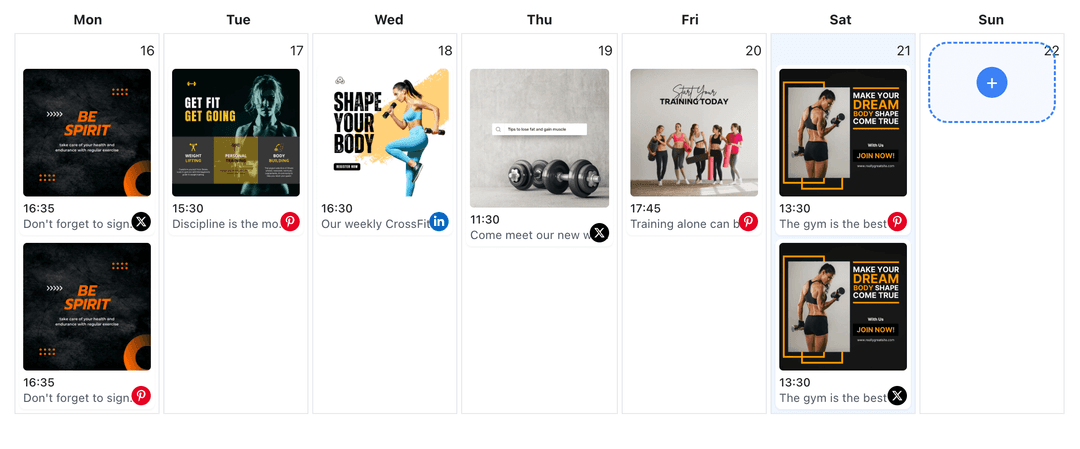
Pair AI-generated ideas and captions with specific days in the TikTok content planner so you know exactly what to record and when each video should go live. TikTok content planner
- Calendar integration
- Shoot-day visibility
- Consistent posting map
How It Works
Get your free API key
Sign up in under 70 seconds, connect your TikTok account, and start calling the unified API or MCP server.
Build your integration
Send posts from your app, workflow, or AI agent with one endpoint — no separate platform SDKs to maintain.
Publish automatically
Schedule or publish TikTok content instantly. WoopSocial handles OAuth, tokens, and platform API changes.
Series and Pillar Content Support
Ask AI for ideas that fit specific series on your account- such as tutorials, behind-the-scenes clips, or product explainers- so you never run out of episode-style concepts.
Prompt Libraries Per Brand
Store your best AI prompts for different clients or brands so each Business account can generate ideas that feel unique instead of sharing the same content patterns.
Caption Tone Controls
Ask AI to keep captions playful, educational, or direct depending on the audience, then refine phrases so everything still sounds like you.
Draft-Only Workflow for Safety
AI suggestions never post automatically. You choose which ideas to film, how to caption them, and when finished videos should appear on your TikTok calendar.
Why Use AI for TikTok Ideas and Captions?
TikTok rewards creativity, but constantly inventing new angles can be exhausting when you are also handling filming, editing, and replies. AI-assisted ideation gives you a pool of relevant concepts so planning the next batch of videos feels more like choosing from a menu than starting from zero every week.
Because you still decide what to film and how to present it, AI stays in the background as a brainstorming partner rather than a replacement. You can quickly filter out ideas that do not match your brand, then double down on the concepts that do.
How AI Fits with a TikTok Production Workflow
Start by filling the TikTok content planner with broad themes or series. For each slot, use AI to propose specific ideas and caption drafts that match the theme, then refine them into shot lists and final copy.
On filming days, you know exactly which videos you need to capture and what each one should roughly say. After editing, drop finished clips into WoopSocial, apply the edited AI captions, and schedule TikTok video posts so publishing stays consistent even when shoot days are irregular.
Ready to build your TikTok integration?
Use AI to brainstorm concepts and caption drafts, then pair them with WoopSocial scheduling so your TikTok Business account always knows what to post next.
Create TikTok ideas with AIFrequently Asked Questions
No. AI helps you come up with ideas and caption text, but you still film and edit every TikTok video yourself before scheduling it in WoopSocial.
AI can suggest ideas for tutorials, product snippets, behind-the-scenes clips, educational content, and more based on prompts you provide about your account and goals.
Yes. You can ask AI to include hashtag suggestions inside the caption text, then remove or adjust them before your video is scheduled to publish.
AI only creates text suggestions. WoopSocial posts finished videos at the times you configure in the calendar after you approve captions and upload your clips.
Yes. Free plan users can generate AI ideas and captions and schedule unlimited posts on supported networks. Pro adds more connected accounts and credits.
You can adapt successful ideas for other TikTok Business accounts, but WoopSocial keeps prompts and calendars separate so each brand can maintain its own style.
Start Planning TikTok Content with AI Today
Combine AI brainstorming with WoopSocial’s TikTok calendar to keep your vertical video ideas, captions, and publishing schedule in one organized workflow.
Get your free API key