API & MCP included on every plan
Manage Multiple YouTube Channels with One Simple Calendar
Connect every YouTube channel to WoopSocial, switch calendars, and keep scheduled videos publishing automatically without juggling multiple dashboards or extra tools.
Trusted by creators, agencies, and franchise teams that manage more than one YouTube channel
Post to YouTube through one unified social media API for your apps, AI agents, and automation tools. Use the WoopSocial REST API or MCP server to automate posting — we handle OAuth, tokens, and platform changes so you can ship features.
One API for posting
Publish to YouTube through a single unified social media API — no separate integrations per platform
Multi-Channel Dashboard
Control every YouTube channel from a single dashboard. Review queues, duplicate campaigns, and keep launch dates aligned across accounts. For big campaigns you can also bulk schedule YouTube videos. bulk schedule YouTube videos
- Connect multiple channels
- Single calendar workspace
- Automatic publishing
Channel-Specific Calendars
Filter the calendar for one channel, see empty slots, and plan content around promotions. The same workspace lets you schedule YouTube videos whenever a channel relies on regular uploads. schedule YouTube videos
- Per-channel filters
- Upcoming video view
- Video friendly planning
Consistent Publishing
Assign videos to the correct channel, choose the publish time, and let WoopSocial handle the rest. No manual handoffs, no switching logins, just reliable publishing for every channel.
- Automatic posting
- One approval path
- Clear time slots
How It Works
Get your free API key
Sign up in under 70 seconds, connect your YouTube account, and start calling the unified API or MCP server.
Build your integration
Send posts from your app, workflow, or AI agent with one endpoint — no separate platform SDKs to maintain.
Publish automatically
Schedule or publish YouTube content instantly. WoopSocial handles OAuth, tokens, and platform API changes.
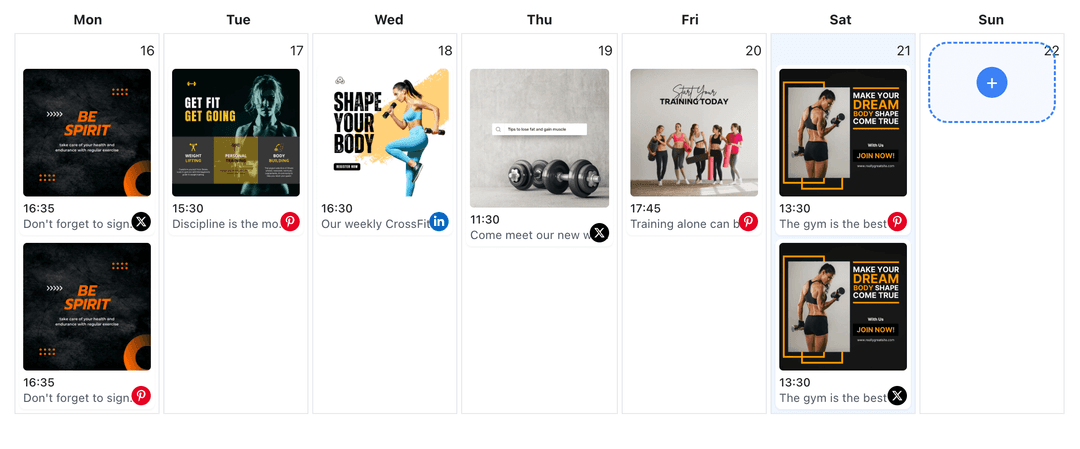
Unified Calendar View
See videos for every YouTube channel in one visual calendar. Quickly identify campaign overlaps, fill empty days, and confirm that each channel stays active.
Per-Channel Filters
Drill into a single channel to review its week, duplicate videos, or adjust timing without touching the rest of your channels.
Plan-Friendly Limits
Free plan includes unlimited posts on supported networks. Upgrade to Pro when you need unlimited posting and more channel connections.
Reliable Publishing
Once a video is scheduled, WoopSocial publishes it automatically for the selected channel. You never have to log back into YouTube to push it live.
Why Centralize Your YouTube Channels?
Running multiple YouTube channels usually means separate browser profiles, duplicated drafts, and scattered reminders. A single WoopSocial calendar removes that friction. Every channel you manage lives in the same scheduling workspace, so you always know which campaigns are ready, which channels still need content, and where to focus next.
Centralizing channels also keeps messaging consistent. Local franchises can reuse brand announcements while still tailoring descriptions, and agencies can keep clients informed without exporting spreadsheets. When everything is scheduled from one place, it is easier to maintain tone, cadence, and branding standards for every channel.
Keep Multi-Channel Campaigns Organized
Product launches, seasonal content, and service updates often need to publish across several YouTube channels at once. WoopSocial lets you stage those videos in one sitting, assign each to the right channel, and confirm timing in the calendar before anything goes live.
You can also stagger announcements when channels serve different regions. Simply filter the calendar for each channel, adjust the publish time, and WoopSocial will handle the rest. No spreadsheets, no reminders, just a dependable cadence for every audience you serve.
Ready to build your YouTube integration?
Connect your channels, plan their content, and publish from one simple calendar. Start free and upgrade when you need more volume.
Manage your YouTube channelsFrequently Asked Questions
Yes. Free plan includes up to 2 connected social accounts. Upgrade to Pro when you need to connect and schedule videos for multiple channels from the same dashboard.
Choose the channel from the account picker before you schedule a video. The calendar filter shows only the selected channel, so you always know which content belongs where.
You can mix regular videos and Shorts per channel. When a channel relies on regular uploads, you can schedule YouTube videos without leaving the dashboard.
Yes. Once you schedule a video for a channel, WoopSocial publishes it at the scheduled time. You do not need to log into YouTube when the video goes live.
Existing videos stay assigned to their current channel. Adding a new channel simply gives you another option in the calendar without changing anything that is already scheduled.
You can disconnect any channel from WoopSocial at any time. Scheduled videos for that channel will pause until you reconnect or assign them elsewhere.
Stay on Top of Every YouTube Channel
Manage campaigns for multiple channels without spreadsheets or extra tools. WoopSocial keeps scheduling simple for every account you run.
Get your free API key